

Apps Like Split PDF Pages for iPhone and iPad
Split PDF Pages screenshots
Ranked alternatives
Showing 341–360 of 1,000 ranked alternatives.
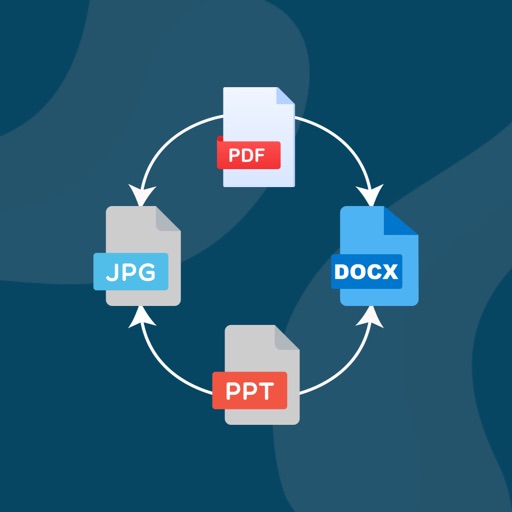


PDF Converter: JPG・Photo・Image
Appslead Ltd
Convert files between PDF and Word formats
Convert documents between PDF and Word, Excel, JPG, PNG, HEIC, PPT, and EPUB formats. Upload files to convert them. Save and share converted documents directly.


PDF Editor - PDF Reader
Pramod Tapaniya
Edit, sign, and manage PDF files
View and navigate PDF files with zoom, page previews, and search functionality. Edit text, add comments, and annotate documents. Sign and share PDFs. Convert, compress, and manage files within the .

PDF Converter Image to PDF
Shamble, Inc.
Convert files to PDF and edit documents
Convert documents to PDF by selecting files or capturing photos. Edit PDFs with scanning, signing, merging, splitting, compressing, reordering, locking, and unlocking features. Supports formats, Word, PPT, Excel, and webpages.

Ink PDF Editor
Hefei T-Stack Information Technology Co., Ltd.
Edit PDFs, annotate, and view pages
Open and view PDF documents with full-text scroll, zoom, and single or double page mode. Annotate with professional tools and customize styles and colors. Play embedded audio from PDF files.



Stylus Labs Write Pro
Matthew White
Edit handwritten notes and sketches digitally
Edit and navigate handwritten documents with vector drawing tools. Organize files using Apple's document browser. Sync with iCloud and other cloud services. Save in open SVG format for compatibility with other vector graphics software.


PdfBlend: PDF Editor & Scanner
Ibrahim Amer
Edit, sign, and share PDFs offline
Edit PDFs with annotation tools and on-device OCR. Scan and convert documents to PDF. Create and share editable projects with layers and annotations. Generate QR codes. Summarize text using AI. Work offline without cloud upload.


PDF Master: Scanner & Editor
Future Software Solutions S.R.L.
Edit, scan, and manage PDFs offline
Edit and manage PDFs with OCR, fill and sign forms, merge and split documents, add annotations and watermarks. Password protect files and chat within PDFs. No accounts, ads, or subscriptions. Fully offline and secure.

How we rank alternatives
Apps are ranked by functional similarity, category fit, rating confidence, and popularity.