Edit photos by automatically detecting lips and . Adjust whiteness and modify lip color. Change facial feature shapes and remove blemishes. Alter hair and eye color for a customized smile appearance.
The app allows users to custom morph faces multiple times, controlling placement, size, and effect. Users can layer morphs to create unique images and access pre-loaded effects, celebrity photos, and animal faces.
Edit photos with eye detection tools. Change eye and lens style. Adjust pupil size and shape. Remove red eye and whiten eyes. Add sparkle effects and rotate them. Morph face shape for enhanced edits. Export edited images directly.
Edit photos to adjust proportions including waist, thighs, arms, and legs. Modify height and resize buttocks. Use auto face detection for facial enhancements. Share edited images directly.
Edit photos to enhance facial features, shape, and specific areas like abs, waist, and muscles. Adjust colors, add accessories, and modify facial elements such as nose, eyes, and hair. Save and share edited images directly.
Edit photos by targeting and removing specific blemishes or acne using a copy skin . Adjust multiple areas per image. Save and share edited photos directly.
Edit photos with skin smoothing, teeth whitening, and facial reshaping tools. Remove blemishes and wrinkles. Add makeup, tattoos, and muscles. Apply filters and adjust colors. Save and share edited images directly.
Create designs by selecting from various styles like mandalas, dragons, florals, and minimalist patterns. Customize elements such as colors, shapes, and text. Save and share designs directly.
Scan documents offline with a user-friendly interface. Capture multiple pages smoothly. Add e-signatures and highlight text. Convert scanned files to editable text using OCR. Print PDFs directly. Compress files for easier sharing.
Customize device home screens and lock screens with animated time-lapse scenes, pet animations, and abstract patterns. Set dynamic and themes. Download new animations weekly. Create custom with editing tools.
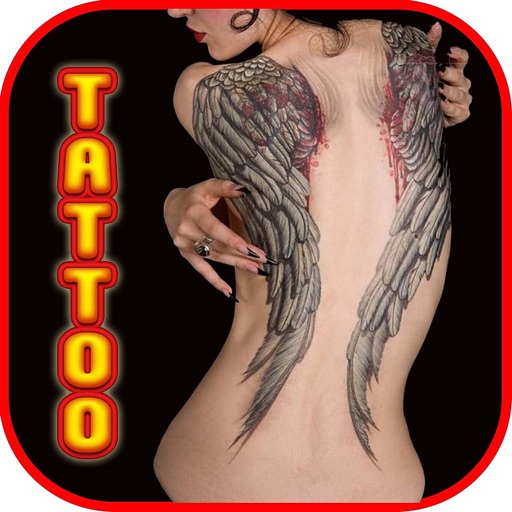
Try on virtual using augmented reality to visualize designs on any body part. Choose from a gallery or search online. View from multiple angles. Edit images with advanced tools to enhance realism. Share designs with friends.
Edit photos by adjusting shape with a slider, protect background from distortions, remove unwanted objects with a swipe, blur specific elements, and automatically remove backgrounds. Access advanced features via a subscription.
Videos with timeline editing, transitions, and effects. Add background music and text overlays. Export in various formats and share via social media or email. Collaborate in real-time with team members.