Apps Like Background Eraser Memes Maker for iPhone and iPad
Edit photos with starlight matting
Edit photos with starlight matting, changes, and multiple lighting styles. Apply stickers, erase selected areas, and use smudge tools for quick matting. Save and share edited images directly.
by 秀媚 严★ 4.314 ratingsUtilitiesFreeData updated 2026-09-06
Remove objects and watermarks from photos using AI-powered tools. Edit images by erasing unwanted elements like people, animals, or objects. Repair images with high-quality processing and share results on social media.
Apply blur effects to specific areas or the entire photo. Adjust blur intensity and select from multiple blur styles. Save and share edited images directly.
Video allow editing with watermarks and doodles, exporting and deleting background music, and converting videos to livephotos. Image generate word cloud, polygon, and block-style wallpapers from keywords or images.
Edit portraits with advanced skin retouching tools. Adjust 13 skin parameters for smooth, glowing results. Remove eye bags, crow's feet, and oils with one tap. Eliminate blemishes, freckles, and acne at the pixel level.
Edit photos by removing unwanted objects using a brush tool for precise selection. Adjust brush size for detailed control. Blend backgrounds seamlessly for natural results. Save and share edited images directly.
Turn photos or snapshots into stickers for WhatsApp, Telegram, iMessage, and other platforms. Remove backgrounds automatically. Add text to personalize stickers. Share directly to messaging apps.
Photos by importing from camera roll. Apply effects and frames. Adjust brightness, saturation, and contrast. Crop, rotate, and straighten images. Add text, stickers, and draw. Sharpen, blur, fix red eye, remove blemishes, and whiten teeth.
Combine GIFs to create animations with multiple clips. Add photos, videos, and music visualizers. Include stickers and text. Export and share finished projects. Edit frames and adjust timing for custom animations.
Edit photos by selecting from the album or capturing a new image. Choose between full or background blur modes. Adjust the blurred area manually with finger drag. Apply blur instantly for automatic results. Save and share the edited .
Organize and clean up photos and videos by removing duplicates, similar shots, and blurred images. Edit and enhance photos with AI-powered tools for family portraits and creative styles. Export edited content in various formats and share directly.
Remove unwanted objects, people, or background elements from videos using AI. Select and track moving targets with dynamic tracking. Highlight areas with brush and outline tools. Clean fixed areas like logos or timestamps. Trim and merge segments.
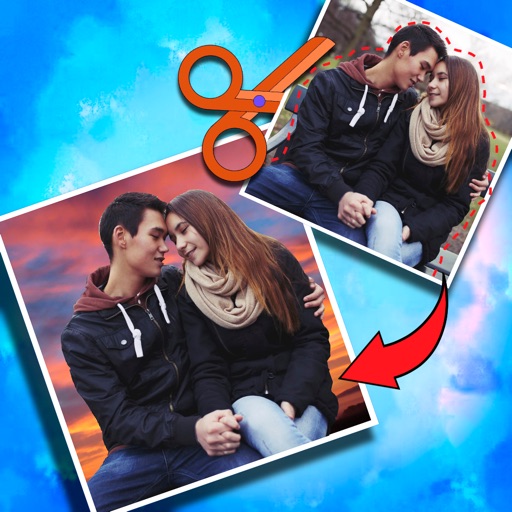
Crop photos and save individual cropped sections for later use. Combine cropped images with backgrounds or other photos to create new compositions. Apply filters to enhance the visual appearance of edited images.
Edit features like waist, legs, hips, and abs. Apply makeup and adjust skin tone. Change hair color and style in real time using the live camera feature. Save and share edited images.
Create posters with customizable templates, drag-and-drop elements, and text styling. Add images, icons, and backgrounds. Export in multiple formats and share directly. Design logos with pre-built templates, color pickers, and font customization.