Apps Like Photo Tips Slingshot for iPhone and iPad
Access tutorials, post photos, get feedback, join
Access tutorials created by a 25-year industry insider focused on youth sports and portraits. Post photos for feedback in online community forums. Participate in one-on-one training sessions for specific photography goals.
by Eugene Lower★ 5.05 ratingsPhoto & VideoFreeData updated 2026-09-06
Create intros for YouTube and iMovie videos using 20 customizable templates. Add effects, text, and music to templates. Export finished intros to the gallery. Edit and customize intros directly within the .
Take photos using an analog interface with flash and shutter controls. Capture indoor images by pressing the flash button and holding it while taking the shot. Share photos with the # hashtag.
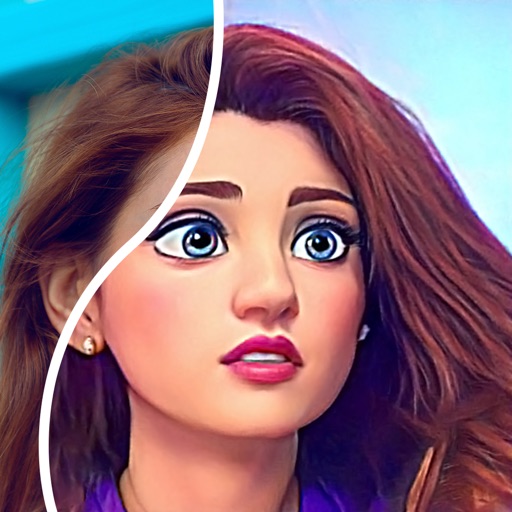
Edit photos with age adjustment tools to generate younger or older versions. Apply cartoon-style effects to portraits. Switch hairstyles and adjust facial features. Export edited images in multiple formats.
Create romantic photo with customizable frames and templates featuring flowers and adornments. Apply elegant color filters. Share finished with loved ones.
Convert photos into comic styles using AI algorithms. Edit avatars with retouching tools. Access various comic templates. Apply filters and adjust images for effects. Share edited images directly.
Organize storage by removing unused data and speeding up performance. Automatically boost battery life with one tap. Clean duplicate photos, delete similar images, and remove blurred content. Group photos by location and manage calendar events.
Photos by tapping to automatically backgrounds or specific objects using AI. Select images from the library or camera. Adjust intensity and apply effects to hide unwanted details. Export edited photos directly.
Create videos using photos from the camera roll. Set project titles and import images. Arrange photo order, select templates, add music, apply filters and effects. Choose format and export the final project.
Switch between main and front instantly for dual perspective shots. Capture high-definition images with the main camera and creative angles with the secondary lens. Record detailed scenes for portraits, landscapes, and close-ups.
Edit by cutting out subjects and pasting them onto chosen backgrounds. Adjust brightness, opacity, and shape. Add multiple and share creations on Instagram.
Edit photos with customizable backdrops for milestones, pregnancy shots, and calendars. Add text, stickers, and filters. Export in multiple formats and share directly.
Use live camera, photos, and videos as media sources. Stream video content. Remove with chroma key and spill suppression. Erase backgrounds and skies using AI. Replace erased areas with built-in backgrounds or textures. Blur backgrounds with AI.
Add text or logos as a customizable watermark to photos. Apply watermarks across all images. Prevent unauthorized use by marking ownership. Share photos with visible attribution. Edit watermark position and opacity. Save watermarked photos directly.
Create slideshows using photos from the camera roll. Add music and artwork to enhance the presentation. Include text for narration. Time slides for Vine or Instagram. Export as video files.
Create designs and graphics using customizable templates and a vast library of images, fonts, and templates. Apply photo filters and adjustments to enhance visuals. Organize templates into folders and favorite favorites for quick access.
Mirror device screens to TVs via modern browsers without latency. Cast photos and videos to TVs without limits. Access ad-free content with a premium subscription. No additional hardware or wires required.