Reference allows offline access without internet or printed books. Users can add custom notes, highlights, bookmarks, and air print. Articles can be emailed. Quick search is available. Suitable for law students, professionals, and enthusiasts.
Edit photos and videos by adding glitch effects and trippy art styles. Choose color shifts, adjust intensity and thickness, and edit random seed settings. Capture or select media from gallery or camera. Export edited content.
Create slideshows by combining photos and videos. Add music, transitions, and text. Include artwork and narration. Time slides for optimal viewing. Share directly to Instagram.
Create text for films or social media videos. Choose background images, videos, or colors. Input credit text to generate smooth, flowing animations. Export and share the final directly.
Edit Stories with customizable templates, fonts, and colors. Add text, stickers, and transitions. Share directly to and other social platforms. Adjust layout and design for enhanced engagement.
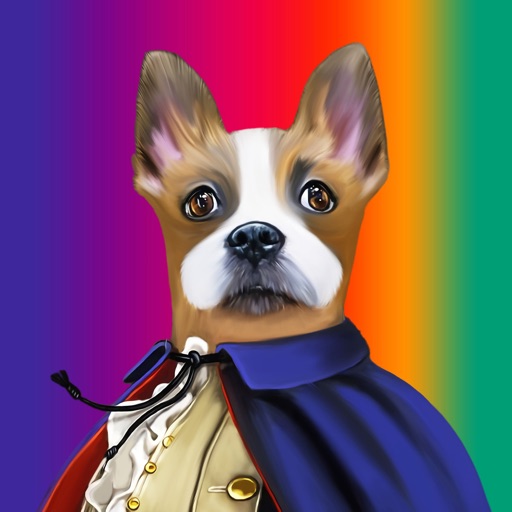
Create custom pet portraits using AI-generated styles like king, astronaut, or angel. Choose from high-quality backgrounds and props. Add stickers to highlight your pet's personality. Share finished portraits directly.
HC MAKER - PHOTO LOGO BACKGROUND EDITOR APPS FOR FREE
Create logos with iPhone photos
Create logos by selecting from a catalog of artwork and fonts. Customize designs with text and styling options. Export logos in multiple formats and share directly.
Combine photos into a single collage with 50+ layout options. Add exclusive stickers, backgrounds, and frames. Adjust layouts, crop, and rotate images. Include text to personalize and share the final design.
Create pet portraits by selecting a costume and uploading a photo. Preview artwork before delivery. Share with the community or use as an avatar. Subscriptions auto-renew unless disabled at least 24 hours before renewal.
Create videos from photos with slide transitions like left, down, or fade. Adjust photo display time and add background music. Export and share the final video.
Apply effects to photos with multiple classic color options and adjustable beauty filters. Add grain intensity and choose from various photo borders. Import photos from the album to apply effects and use photo frames. Supports Live Photos.
Colorize photos automatically with advanced algorithms. Enhance clarity and convert low-resolution images to high definition. Adjust colors and brightness for vivid results. Export edited photos in various formats.
Create Instagram stories with customizable templates, filters, stickers, and fonts. Select from a variety of designs, add visual effects, and personalize text formatting. Share finished stories directly to Instagram.
Apply Lightroom presets to enhance photos with filters, adjustments, and effects. Choose from urban, vintage, winter, travel, and portrait presets. Export edited images directly from Lightroom.
Convert text to 45 different fonts automatically. Copy the styled text and paste it into social media or messaging apps. Access additional fonts by requesting through Store reviews. Subscribe for monthly access to premium fonts.
Create ID photos with AI-powered background removal and people segmentation. Edit images by removing backgrounds and adjusting elements. Access weekly updates and premium features with a subscription. Export edited images in various formats.
Apply retro filters and frames to photos. Adjust settings for customization. Save and share edited images directly. Access advanced features with a Pro subscription.
The app provides a complete list of the latest titles with on-time updates. It offers offline access, custom notes, highlighting, bookmarks, and emailing of articles.