Create color palettes for outfit photos, OOTD, landscapes, and illustrations. Select and customize color schemes with over 20 design options. Adjust the number of colors in the palette. Export palettes for use in design projects.
by KENICHI YAMAMOTO★ 5.01 ratingsGraphics & DesignFreeData updated 2026-09-06
Create and manage configurations for iOS home screens. Add icons to lock screen with widgets. Generate custom icons from glyphs with color and gradient options. Import images as icons. Save multiple setups for quick style changes.
Upload a selfie or let the take a photo to analyze undertones. Identify seasonal color palettes like Spring, Summer, Autumn, or Winter. Get personalized outfit and makeup recommendations based on color .
Create art with hand-drawn illustrations by Olivia De Bona. Choose from 50+ exclusive designs. Use tools to , sketch, and customize images. Save and share completed artwork. Adjust brush size and opacity for detailed work.
The app provides 2D vector drawing for various design needs, including illustrations, layouts, and graphics. It supports multiple file formats for compatibility and offers tools for creating and editing shapes.
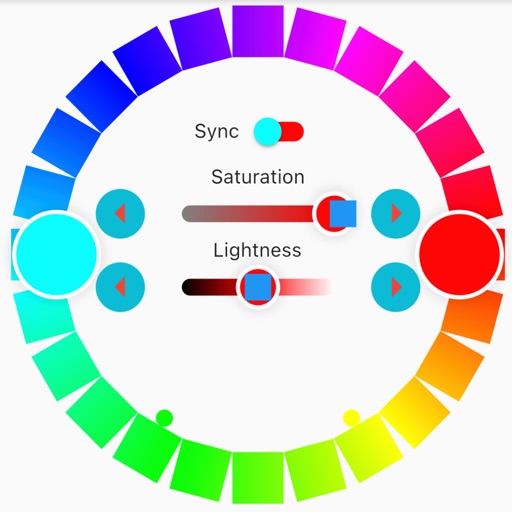
Create harmonious combinations using wheels. Explore Full (RGB) and Basic Itten's . Generate schemes based on theory principles. Adjust hues, saturation, and brightness. Save and share swatches.
Create art with a variety of color palettes and brush tools. Choose from daily themed pages. Customize colors and patterns. Save and share completed artwork. Adjust brush size and opacity for detailed strokes.
Take a photo of an object, person, or scene. Identify it instantly with AI. Learn its meaning, history, and related information. Get actionable suggestions based on the identification. Share results or save for later.
Analyze skin, hair, and eye to determine your . Select from options like Light Spring or Deep Autumn. personalized palette based on your . Share results or save for future reference.
Create and customize digital artwork with a wide range of colors and brushes. Choose from pre-designed pages or upload personal images for . Switch to dark mode to reduce screen strain. Save and share completed drawings.
The app allows users to adjust fixture intensity and color, create themes, and manage lighting schedules. It offers cloud management for remote site control and the ability to create up to 30,000 colors.
Add text to photos with customizable shapes, adjusting height, width, color, and border. Design and share text overlays on images. Create social media posts, wallpapers, stickers, and event invitations. Export and share designs directly.
Create illustrations, logos, and UI designs with precise drawing tools. Import and edit graphics. Organize projects in workspaces. Export in multiple formats. Collaborate in real-time with others. Adjust colors, shapes, and layers.