Apps Like Auto Background Changer Eraser for iPhone and iPad
Edit images, remove backgrounds, overlay subjects
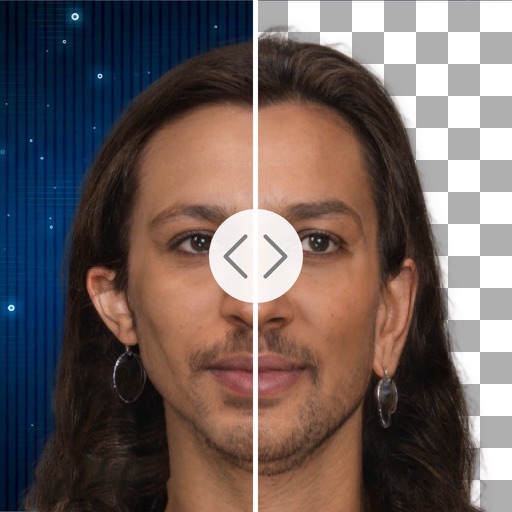
Edit images to remove backgrounds using AI. Cut out objects and replace them with new backgrounds. Adjust edges for smooth transitions. Share edited images directly.
by Patel Saurabh★ 4.616 ratingsPhoto & VideoFreeData updated 2026-09-06
Edit photos by removing objects, erasing backgrounds, enhancing quality, expanding canvas, or replacing elements. Generate new images with AI filters. Perform basic edits and apply creative AI effects. Save and share edited photos directly.
Remove backgrounds from images using AI technology. Edit and generate new backgrounds. Create transparent images for social media, e-commerce, and design projects. Tap to remove backgrounds automatically.
Remove backgrounds from photos using AI technology. Replace backgrounds with photos from the library, captured images, or selected colors. Adjust settings for precise edits. Export edited images directly.
Edit photos with background erasing and replacement. Remove backgrounds automatically or manually using AI. Replace backgrounds with custom images, colors, gradients, or textures. Adjust and enhance images with precise editing tools.
Edit photos by adjusting shape with a slider, protect background from distortions, remove unwanted objects with a swipe, blur specific elements, and automatically remove backgrounds. Access advanced features via a subscription.
Edit photos with 200+ filters and AI art effects for enhanced visuals. Adjust brightness, contrast, and saturation. Add text, stickers, and animated effects. Export in various formats and share directly. Apply AI flash for vintage aesthetics.
Remove backgrounds from photos using the magic tool. Manually crop or restore parts of an image. Create stickers and edit outlines for YouTube thumbnails. Export high-quality PNGs without watermarks.
Edit photos and videos by automatically recognizing and processing backgrounds. Choose from four recognition methods including transparency, blur, and replacement. Process only the subject or apply effects like fluffy, mosaic, monochrome, or sepia.
Edit photos by removing backgrounds using AI-powered . Select images from gallery or camera. Replace backgrounds with options from various categories. Blend foreground with chosen for natural results.
Remove unwanted people and blemishes from photos or videos by painting and erasing. Edit images with AI tools, add text, filters, and effects. Adjust facial features like face shape, forehead, chin, and cheeks.
Remove backgrounds with a single tap. Replace with 800+ virtual templates. Export as transparent MP4 with alpha channel. Adjust resolution to 16:9 or 9:16. Position and scale the top layer transparent .
Edit with one-click cutout and batch processing. Remove unwanted elements and replace backgrounds. Create collages and ID . Use templates and stickers for design. Perform multi-layer synthesis and green screen effects.
Remove backgrounds from images to create transparent or customized backgrounds. Edit photos to eliminate imions. Replace or erase backgrounds for product images. Export edited images in various formats.
Remove unwanted objects, people, or backgrounds from photos using AI. Tap to erase clutter or clothing elements. Edit and save modified images directly.
Remove unwanted objects, people, or blemishes from photos. Crop, resize, and adjust aspect ratios. Replace or fix backgrounds and foregrounds. Erase text, lines, and tattoos. Improve clarity and tweak brightness, contrast, and saturation.
Create by selecting from popular templates and adding text. Edit images with cropping and filters. nimated GIFs and collages. Share directly to social media platforms.
Selective coloring allows users to add to specific image areas against a monochrome background. Recolor tools enable adjustments to hair and eye colors. Users can apply advanced editing options to enhance and customize their photos.