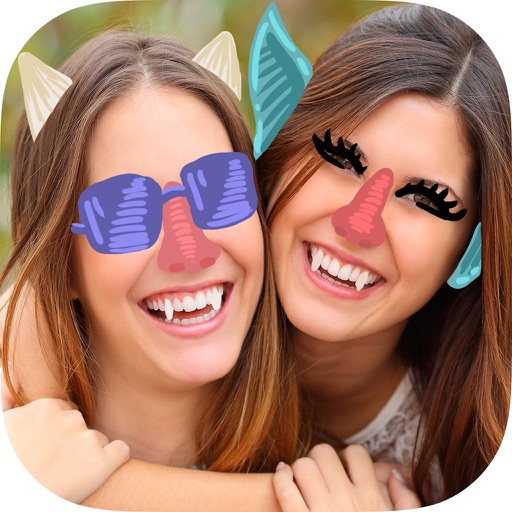
The app allows users to draw and sketch ideas with an easy-to-use interface. It offers various tools like pencil, line, oval, and rectangle, along with an eraser and undo/redo functionality.
The app offers 773 items for photo decoration, including pens, stamps, and frames. Users can draw, handwrite letters, and create custom stamps and message cards.
Remove backgrounds or objects using AI by adding a and tapping "remove." Adjust the new background to a custom color, white, another image, a gradient, or a preset. Add text, shapes, and photos to the edited image.
Track correspondence with friends by recording send/receive dates and calculating delivery times. Log pen, ink, and paper details for each letter. Set reminders to write back or post letters. Sync data via iCloud for cross-device access.
Convert handwritten documents into digital notes by snapping photos. Annotate and scribble on images or notes. Organize and store notes digitally. Sync across devices for seamless access. Share notes directly or export in multiple formats.
Parts of images by drawing selection areas. Paste copied elements to any location. Remove objects, people, or text. Censor content by replacing it with surrounding pixels. Fill image gaps by copying and pasting nearby areas.
Create and import e-signatures using AI-generated styles or hand-drawn inputs. documents instantly with secure digital signing. Save and reuse signatures across multiple files. Share signed documents via email or cloud storage.
Detects rapid movement and free-fall to trigger alarms. Activates red screen blinking, sound, and flashlight simultaneously. Allows screen touch to send warnings. Apple Watch version provides limited screen blinking to conserve battery.
Create collages by combining multiple photos using various frame patterns and grid layouts. Apply over 1100 design styles to individual images or collages. Share finished creations directly from the .
Allows users to add handwritten memos and photos to calendar entries. Users can take photos using a camera-equipped iPad, resize images, and input text directly into calendar events.
Old by removing scratches and creases with AI. Colorize black-and-white images to add vivid colors. Adjust clarity and brightness for enhanced details. Save and share edited directly.
Draw and with others in a relaxed, creative game. Choose a word, sketch it freely, and let others your drawing. Also what others have drawn without time limits or pressure.
Convert images to PDF by selecting files from your device. Edit images with cropping, rotation, and brightness adjustments before conversion. Save and share PDFs directly or export in multiple formats.
Create, store, and share short stories and animations. Add images and text to build stories. Save books for offline viewing. Share across devices. Reuse animations within story books. Edit and view stories anytime.