Apps Like Retouch Photos: Remove Objects for iPhone and iPad
Edit photos and unwanted content
Unwanted content from photos by selecting and painting over areas to . Use zoom and move tools to visualize the subject. Edit photos offline without internet connection. Save and share edited images directly.
by Arthur Eduardo Skaetta Alvarez Desenvolvimento de Software LTDA.★ 4.6203 ratingsPhoto & VideoFreeData updated 2026-09-06
Unwanted elements from photos with a single tap. Erase , characters, thin lines, and backgrounds. Use AI to precisely cut out hair strands and fill erased areas seamlessly. Export edited images in various formats.
Edit photos with reshaping tools to adjust shape and size. Enhance muscles, waist, abs, or chest with precise controls. Retouch facial features and skin texture for realistic results. Apply filters and effects to enhance appearance.
Remove unwanted elements from photos using AI and image processing. Delete people, pimples, buildings, or any objects. Edit and save modified images without ads. Share edited photos directly.
Edit photos with AI-powered tools like Magic Eraser and AI Background Changer. Remove unwanted elements, generate images, and enhance photos without manual adjustments. Create studio-quality edits and share directly.
Edit photos with retro filters, aesthetic effects, and a free retouch pro plugin. Apply magic presets and dazzling effects. Adjust colors for portraits, influencer shots, film, black and white, nature, urban, and travel photos.
, people, watermarks, and blemishes from photos with a tap. Use a smart to precisely delete elements without altering the background. Adjust edges and refine details for clean, seamless edits. Export edited images in high quality.
Take selfies with filters and skin enhancement tools. Edit photos with cropping, adjustments, and options. Record HD videos and apply color filters. Share edited content directly.
Edit photos by describing desired changes, additions, or removals. Remove objects or people seamlessly. Enhance lighting and mood with cinematic, dramatic, soft, or warm settings. Adjust colors and apply filters. Save or share the final edited image.
Edit photos with AI hairstyle customization, face swapping, and one-tap cartoon portrait creation. Add filters, adjust colors, and export images for social media sharing.
Edit photos to slim down, bulk up, or reshape types. Adjust height, elongate legs, and refine curves. Retouch faces with AI tools, change hairstyles, and balance skin tones. Apply transformations with one tap.
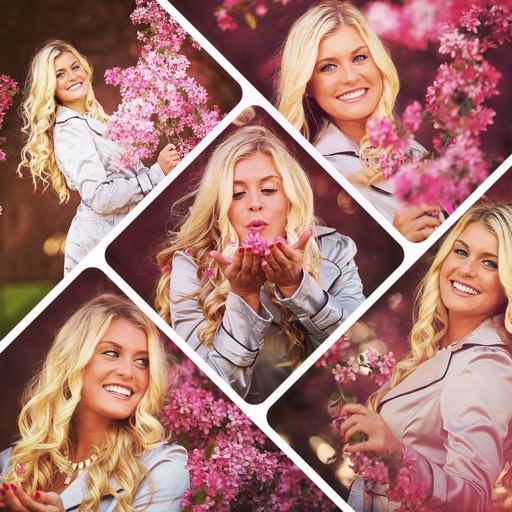
Create collages by combining multiple photos using various frame patterns and grid layouts. Apply over 1100 design styles to individual images or collages. Share finished creations directly from the .