Access critical information for hazardous materials incidents. Look up dangerous goods by ID number. View general hazards and safety precautions. Quickly find emergency response procedures. Navigate an indexed list of substances.
by Pipeline and Hazardous Materials Safety Administration★ 4.865 ratingsReferenceFreeData updated 2026-10-21
Access hazardous material information quickly with a searchable database of dangerous goods and their associated ID numbers. View general hazards and recommended safety precautions.
Access hazardous material data including NIOSH, CFR/HMT, NFPA, GHS, and CAMEO information. Search, sort, and filter materials by properties or response guidelines. View emergency response guides and safety regulations for handling and storage.
Provides information on hazardous materials with ERG guidelines. Includes handling, storage, and incident response details. Accesses data offline without internet. Allows quick reference for emergency situations and educational use.
The app identifies hazardous cargo using the 4-digit DOT placard number. It provides details from multiple Emergency Response Guidebook editions and includes search by name or number.
Study for the CDL endorsement with 110+ multiple-choice questions covering essential topics. Simulate real tests with randomized questions. Track progress and review detailed explanations for each answer.
Retrieves information linked to phone numbers, including spam likelihood. Users can copy numbers from call logs, check details for US and Canadian numbers, and identify unknown callers before answering.
Study for the CDL exam with state-specific practice tests for all 50 states and endorsements. Track progress in real time. Access questions on General Knowledge, Air Brakes, and Hazmat.
Access hazard material compatibility data from CFR 49 §177.848 and IATA DG regulations. Look up rules for hazardous materials. Check compatibility of Class 1 explosives. Determine safe storage and transport combinations.
Identify insects by taking photos or uploading images. View detailed information about species, including habitat, behavior, and toxicity. Get pest solutions for home gardens. Save and share insect sightings.
Prepare for CDL exams with realistic tests and AI-driven explanations. Track progress with detailed reports. Study all knowledge areas and endorsements. Simulate exams for General Knowledge and specialized tests. Receive instant feedback on answers.
Explore daily top and profiles to learn about celebrities' careers, milestones, and connections. Play trivia games to test knowledge. Boost favorites to increase popularity. View trending and most popular charts for real-time updates.
Prepare for the CDL written exam with tests and question banks. Simulate exam conditions with realistic tests. Review detailed explanations for each answer. Track progress and identify weak areas. Study commercial driving regulations and terminology.
Access e-books and audiobooks, watch videos and virtual events, listen to radio episodes. View daily prayer requests, access group study materials, and find resources for kids and students.
Access emergency medicine information offline with this mobile . Browse and search for clinical guidelines, protocols, and references. Save personalized lists and favorites with a subscription purchase. Share content via email or social media.
Provides access to a wide range of and elytras for PE. Includes categories like Anime, Baby, and Zombie. Features interactive 3D previews and one-touch export to MCPE. Receives weekly updates.
Play music within PE. Add , skinseeds, and to customize the game. Install mcpacks, import from photo gallery, and enhance gameplay with additional content.
Track homework, tests, and schedule with a . Save and view Google Classroom assignments. Access saved websites quickly. No ads, subscriptions, or premium features. Support available via tip jar.
AN HAI DONG MUSHROOM CULTIVATION AND BREEDING COOPERATIVE
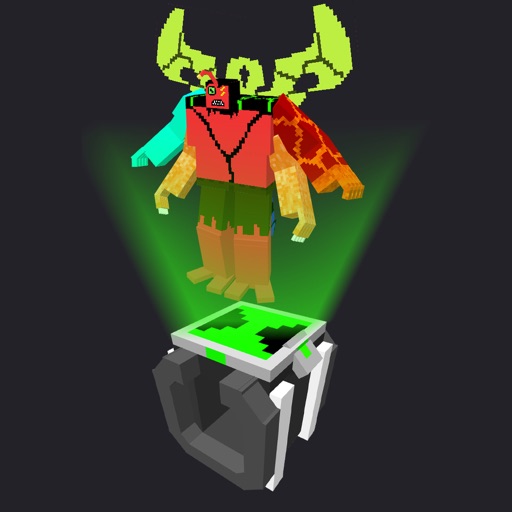
Morph into 19 Ben 10 aliens
Transform into 19 Ben 10 aliens by tapping Omnitrix blocks. Select an alien to morph, then sneak to activate the transformation. Use the command /function unwear_omn to remove the Omnitrix.