Create NFT-ready artwork from existing photos using built-in graphics and filters. Choose art styles, add text and fonts, and customize backgrounds. Save to device gallery and publish to blockchains like Ethereum or Binance.
Create collages by adding to photos or videos. Choose canvas size and color. Customize with font, size, border, color, gradient, stroke, and shadow. Add stickers or GIFs. Save projects for reuse. Access 300+ fonts for multiple languages.
Allows users to images with a single tap. Choose from pre-made templates or apply filters to enhance photos. Automatically or manually backgrounds. Add emotions and creative elements to improve visuals.
Customize iPhone and iPad homescreens with 500+ icons, 100+ themes for iOS 14, and 100+ widgets. Apply one-click themes and replace icons. Add 100+ wallpapers to enhance the interface.
Create realistic avatars or images using AI. Upload self photos or describe desired visuals. Choose artistic styles and add text details. Generate outputs based on descriptions without needing photos.
Watch and save hypnotic videos featuring nature, 3D animations, loops, mandalas, and fractals. Upload personal videos for others to view. Report inappropriate content through in- tools for review within 24 hours.
Font manager allows users to access 100+ stylish for social media and design projects. Generate text with customizable for Instagram, Facebook, WhatsApp, and other platforms. Export text with selected for sharing across apps and social media.
Create social media content by converting to reels. Add from device or cloud storage. Apply filters and crop images. Trim audio and adjust fade effects. Save final edits to photo library.
Create custom home screen themes with downloadable icons and widgets. Choose from pre-designed packs or design your own. Install themes via shortcut and customize icons for iOS 14 and later.
Edit photos with cropping, filters, and adjustments. Add watermarks, logos, and signatures. Include text, stickers, and custom designs. Save and share edited images directly.
Convert prompts into digital artworks by selecting a style. Edit generated images, adjust colors, and export in various formats. Share creations directly or save to device.
Create 3D models from photos or video imports. Adjust model quality and compatibility with all iPhone and iPad devices. Rotate and zoom 3D objects using touch gestures. Place models in real-world environments using AR.
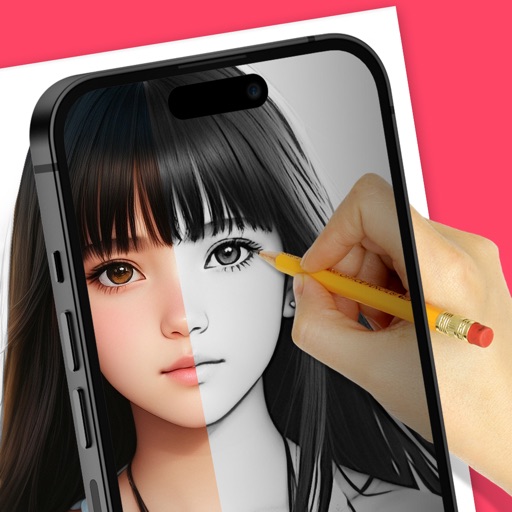
Trace images to create sketches or drawings. Adjust line thickness and brush styles. Use an eraser tool. Apply filters to images. Select from gallery or take new photos. Draw on paper with phone held 1 foot above.
Objects from photos using various tools. Replace removed elements with templates or custom images. Edit photos to eliminate unwanted items like people, wires, or blemishes. Export edited images directly.
Create Instagram stories with customizable templates, filters, stickers, and fonts. Select from a variety of designs, add visual effects, and personalize text formatting. Share finished stories directly to Instagram.
Upload images to for matching or similar photos across multiple engines. View results from trusted sources. Identify potential sources of an by analyzing uploaded content.
Edit videos with overlays, aesthetic effects, and filters. Add sound and music. Create vlogs, social media reels, and cinematic clips. Export edited videos in various formats.
Convert text to 45 different fonts automatically. Copy the styled text and paste it into social media or messaging apps. Access additional fonts by requesting through Store reviews. Subscribe for monthly access to premium fonts.