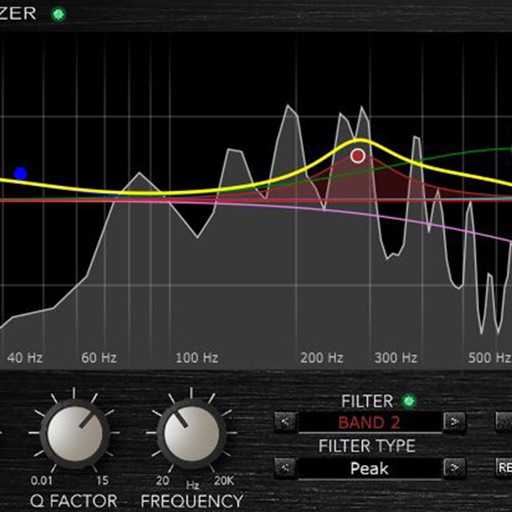
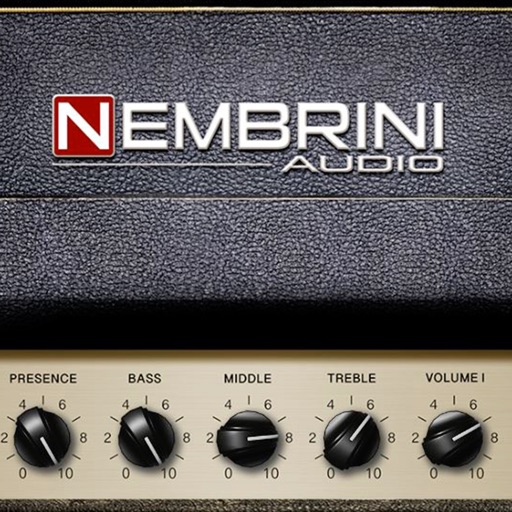
Load and manage impulse response files for audio equipment. Adjust cabinet sounds with a 6 band parametric equalizer and graphic EQ. Use a custom compressor with side chain filter and bass enhancer.
by Nembrini Audio S.r.l.★ 4.08 ratingsMusic$9.99Data updated 2026-09-06
Play audio directly from system and cloud sources. Adjust sound with a 10-band equalizer. Control playback speed from 0.5x to 2x. Use background playback and AirPlay. Organize playback queue. Enable smart shuffle and loop options.
Record with multitrack support, add and edit files across tracks. Record voice and instruments in high quality without limits. Use basic editing tools to cut, copy, and paste . Save files in various formats.
Edit with mixing, fade effects, volume control, tone, tempo, and speed adjustments. Use a custom equalizer and undo/redo features. Organize tracks into projects and folders, syncing across iPhone and web.
Control compatible and Elite devices to play music in individual or all rooms. Adjust volume, select input sources, and manage playback settings. View device status and access playlists directly from the .
Adjust audio frequencies with a 10-band covering 60Hz to 16kHz. Apply real-time adjustments for bass, mids, and treble. Visualize audio with dynamic graphics. Import and play local files or stream audio directly.
Manage collections from YouTube, Apple , iPod, PC, and cloud storage. Adjust bass, treble, and equalizer for enhanced sound quality. Play queue with add, delete, and organize song capabilities. Access 100K radio stations.
Allows users to create custom delay signals using three effect racks. Effects can be inserted before, during, or after the delay loop. Users adjust signal flow by selecting and arranging effect modules across the racks.
Drums lets users select from three drummers with distinct styles. Adjust jam level and intensity using a 2D slider. Save mixer and effects settings for each sound bank. Toggle ride/hats and cross stick/snare options.
Adjust audio frequencies with six filter bands. Control low and high cut filters with adjustable Q. Use two bell filters and low/high shelf filters. Customize resonance and frequency settings. Apply equalization within an audio unit host application.
Adjust audio settings with Booster and Enhancement for improved clarity and depth. Play and pause media, adjust equalizer settings, and control playback from the home screen. Sync with devices for uninterrupted audio streaming.