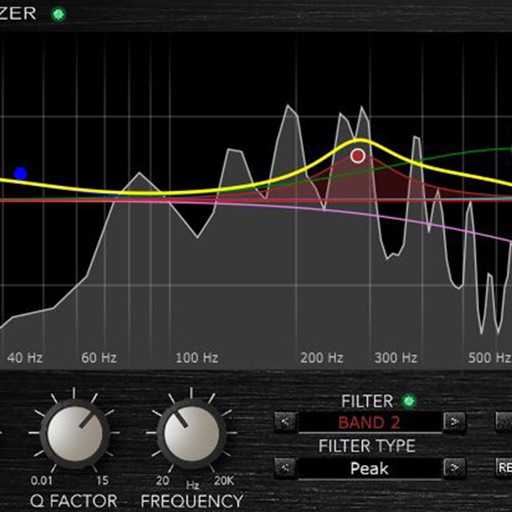
Load and manage impulse response files for audio equipment. Adjust cabinet sounds with a 6 band parametric equalizer and graphic EQ. Use a custom compressor with side chain filter and bass enhancer.
by Nembrini Audio S.r.l.★ 4.08 ratingsMusic$9.99Data updated 2026-09-06
Create and share musical ideas with built-in synthesizers and a drum machine. Build drum loops using pattern pads, sketch bass lines, chord progressions, and melodies. Use 4 audio channels for drum machine, bass, chords, and lead. Input is automated.
Adjust music tempo to control playback speed. Customize equalizer settings to shape sound preferences. Add reverb effects for enhanced depth. Sync with Apple Music for personalized audio experiences.
Apply effect to audio tracks with adjustable depth, speed, and waveform settings. Add tube preamp coloration for warmth. Insert as a standalone plugin or within a DAW. Control parameters via user interface or MIDI.
Create drum sounds and synthesize vocals using a 24-part sound engine. Use a pattern sequencer to arrange beats. Apply effects including a Phrase Vocoder that converts text to vocal-like sounds. Adjust vocal characteristics such as gender.
Allows users to manipulate in real time using a network of lines. Features include granulation, modulation, and processing with filters, dynamic processors, and saturation modules. Supports Audiobus and Inter- as both sender and FX.
Access video tutorials for Christian praise and songs arranged for guitar, acoustic, bass, drums, keyboard, and vocals. Track progress with a dashboard, history, and favorites. Optimized for iPhone and iPad use.
Learn basic and improve ear training through interactive modules. Practice identifying notes and intervals. Customize exercises for guitar or bass players. Track progress and receive feedback during practice sessions.
The app provides blues guitarists with backing tracks in various keys and tempos. Users can adjust instrument volumes, access scales and modes for improvisation, and follow video tutorials.
Adjust equalizer settings for precise sound control
Audio player with 16-band equalizer for custom sound adjustment. Users can set each band using a visual curve or graphic mode. Auto gain adjustment prevents distortion. Preset EQ settings match song metadata like genre or artist.
Separate vocals and instrumental stems using AI audio analysis. Export high-quality isolated tracks and mixed versions. Split audio files into individual stems for editing or remixing.
Configure audio settings for headphones and speakers.
The app configures settings for Zik headphones and Zikmu Solo speakers. Users can adjust audio frequencies, volume, and connect via Wi-Fi to share music.