Apps Like Brochure Maker : Catalog Maker for iPhone and iPad
Design brochures, edit layouts, print instantly
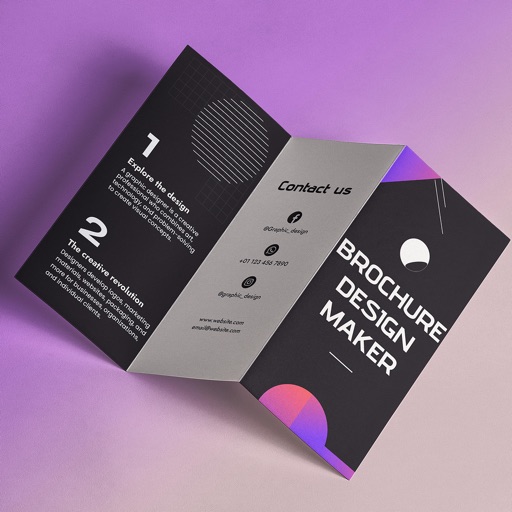
Create brochures by selecting from 2500+ templates across industries like business, travel, and education. Edit layouts, add text, images, and graphics. Export as PDF or print directly. Save and share designs.
by Bhumiben Sutariya★ 4.725 ratingsGraphics & DesignFreeData updated 2026-09-06
Create posters with customizable templates, drag-and-drop text, and image editing tools. Add logos, adjust colors, and apply effects. Export as PDF or image files and share via social media or email.
Creation tool allows users to design professional-looking menus quickly without design skills. Includes predefined templates for easy customization. Enable QR code scanning to access menus online. Export menus for print or digital display.
Create stories for social media with pre-designed templates and editable layouts. Add text, images, and effects. Share directly to platforms. Edit stories with intuitive tools and customize designs.
Edit photos and videos with templates, quotes, stickers, and customizable text. Scale, rotate, position, duplicate, and flip elements with touch gestures. Create collages and design posts for social media. Export and share edited content directly.
Create logos using pre-designed and custom text. Add stickers and text arts to designs. Export logos in multiple formats and share directly. Sync with social media platforms for promotion.
Create logos using a user-friendly interface with no experience required. Access a variety of templates ranging from minimalist to bold. Customize logos by adjusting shapes, colors, fonts, and adding text or icons.
Create and customize designs using model templates and fabric options. Add accessories and details to outfits. Export designs in various formats and share them directly.
Create logos using AI-generated designs. Choose colors, fonts, and styles. Customize elements like text and icons. Export logos in various formats and share directly.
Create layouts using VStack, HStack, and ZStack. Add Text, Images, and Shapes to designs. Export projects to Xcode and Swift Playgrounds. Design on iPhone, iPad, Mac, and Apple Vision Pro. Use SF Symbols for icon browsing.
Create and Instagram carousels with customizable templates and drag-and-drop editing. Add text, stickers, and filters. Export and share directly to social media. Adjust layout for seamless swipe-through viewing.
Create personalized invitations with customizable templates. Choose from categories like boys, girls, superheroes, princesses, and unicorns. Add text, images, and decorations. Save and share invitations via email or social media.
Create story highlight covers with customizable templates, text, and visual effects. Add titles and adjust colors. Export and share covers directly to social media profiles.
Create logos by choosing from thousands of professional designs or customizing from scratch. Edit colors, fonts, and layouts. Export logos in multiple formats and share directly.
Edit photos using instant beautiful templates and picture . Add quick text to stylize images. Choose from over 200 templates for various occasions. Export edited images for Instagram.
Create or print cards without design experience. Add logos via AI, customize fonts, colors, and photos. Share via QR code or link. Save to Apple Wallet for easy access. Print or distribute instantly.
Create or greeting cards using ready-to-use templates. Customize designs with text, images, and colors. Share or print cards directly. No design skills required.