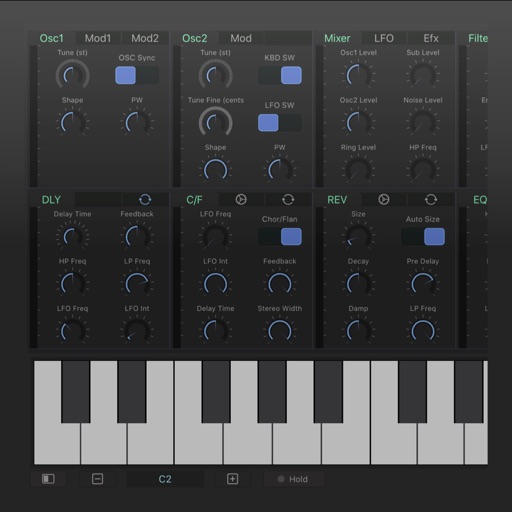
Create and design synthesizers with modular patches. Adjust audio parameters in real time. Export sounds and share projects. Use professional-grade tools for live performance and experimentation.
by Audulus LLC★ 4.561 ratingsMusicFreeData updated 2026-09-06
Edit files with multi-layer mixing and region-based editing. Import and export in various formats directly from Files. Perform batch format and rate conversion. Manipulate clips and samples efficiently on iPad.
Create and edit complex rhythmic patterns with independent sequence lengths for each drum voice. Generate polyrhythms and polymeters. Export sequences for use in AUv3 hosts or external drum machines.
Adjust audio levels with precise visual metering and peak control. Apply harmonic warmth and mix loudness enhancements. Use full-band and two-band clipping. Customize knee curve and harmonic profile. Adjust dry/wet mix for balanced sound.
Record audio with emulation effects including echo, start, and stop functions. Apply Lo-Fi analog sound characteristics. Export as AUv3 plugin or standalone format.
Create music using a - sequencer. Play notes by bouncing balls on customizable keyboards. Adjust ball count, speed, and size. Set key/scale, velocity range, octave, and channel. Customize notes per keyboard. All keyboards share the same scale.
Create and edit music with virtual instruments, MIDI sequencing, and audio recording. Arrange tracks, adjust parameters, and export projects. Supports hardware integration for advanced features.
Process audio with up to four effects. Route audio from external devices or sound files. Connect to iOS drum machines or synthesizers via Inter- Audio or Audiobus. Adjust effect parameters for sound shaping.
Create chord progressions using a . Explore over 40 scales with visual representation. View chords within selected scales and compare or borrow chords between scales. Adjust key settings and generate scale-based chord sequences.
Record and process microphone input in real time. Adjust over a hundred parameters for effects. Use integrated LFO for modulation and compression. Access shimmer module. Export processed audio files.
Create and customize sounds using 4 layers per patch. Access over 3,500 presets including percussion sets and Nord Lead 2 patches. Import patches from Clavia Nord Lead 2. Adjust filters, envelopes, and modulation options.
Create and arrange using clip-based editing. Trigger samples and loops, record audio, and capture MIDI performances. Drag and drop clips to experiment with arrangements. Edit audio and MIDI with shaping .