Display favorite photos in customizable albums. Add widgets of different sizes to the home screen. Each shows photos from a specific album. Set refresh intervals for each .
Create custom albums with personal images or choose from curated categories like Quotes, Nature, and City. Add photos to build memory albums. Display on home screen using three widget sizes.
Customize home screen with widgets. Add static photos or auto-refreshing albums. Arrange multiple widgets in unique layouts. Use stack feature to swipe through layered widgets.
Save photos with GPS location and timestamp. Set names and dates. Share photos directly. Search for places and export to Photos . Includes iMessage sticker and widget for quick access.
Create collages by combining photos and videos with over 400 layouts. Apply filters, borders, and edit images or videos. Add music to collages. Share finished projects directly.
Set reminders for events and anniversaries by specifying the date. Automatically create events and anniversaries with one-touch setting. Generate photo albums for past events and edit them by importing photos and setting covers.
Take photos and videos with 200+ real-time filters, motion graphics, textures, and light leak effects. Adjust skin tone and apply vintage looks. Export edited media in various formats and share directly.
Hide photos and videos with password or fingerprint unlock. Encrypt data during transfer. Store files securely with optional cloud backup. Access hidden media within the .
Organize and manage photos and videos by creating albums. Swipe right to save preferred items or left to remove unwanted ones. Add albums via the bottom list. View and manage media with intuitive gestures.
Create custom designs with photos using templates, fonts, filters, frames, and hand-crafted stickers. Organize and save moments. Share edited photos directly.
The app allows users to crop videos and photos. Users can save cropped media to their photo album or share it to social media platforms like Facebook and Instagram.
Decorate home screen with interactive widgets. Display photos in sorted order or create collages. Add multiple photos at once and rearrange them. Supports transparent and iOS 18 lock screen widgets. Choose from various sizes and refresh intervals.
Apply flower to photos from your album. Choose from various like roses, daisies, and sunflowers. Add color filters and adjust appearance. Share edited photos with family and friends.
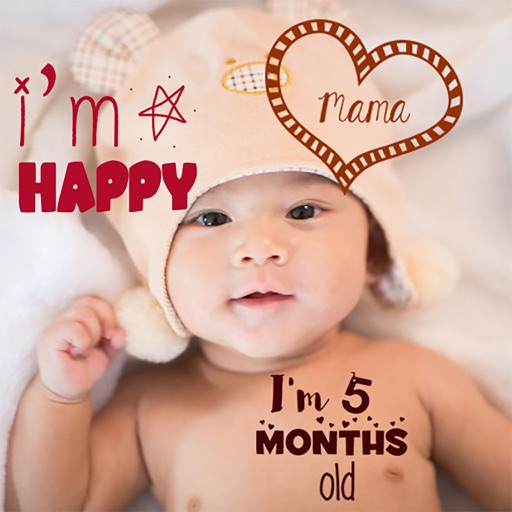
Create stories for pregnancy and milestones using professional stickers and fonts. Add text and -themed stickers. Edit photos with artistic styles. Share and save stories in albums.
Create -themed and screens by selecting from pre-designed or using personal photos. Customize fonts, colors, frames, and shapes. Apply filter effects and add shelves or icons to enhance the design. Share or save the final artwork.