Navigate PDFs using facial gestures to flip pages without hand movement. Make notes and highlights directly on sheet music or documents. Syncs with Apple Pencil for annotation and markup.
by Stephen Coyle★ 4.262 ratingsProductivityFreeData updated 2026-09-06
Scan documents to create editable PDFs. Edit , add comments, and secure files with encryption. Convert scanned images to searchable PDFs. Share and annotate documents directly. Export in multiple formats and sync across devices.
Compose music with Apple Pencil, converting handwritten notation into typeset scores. Edit, play back, print, and share scores. Record or import audio and edit it with Apple Pencil.
Create digital by drawing with finger or Apple Pencil. Add typed text and organize into pages. Flip through like a physical notebook. Save and share directly.
Write and edit documents with RTF and Markdown support. Annotate and organize with customizable margins, headers, and footers. Edit PDFs directly and save in multiple formats. Sync across devices and access content offline.
Edit and convert PDF files by removing or rotating pages, merging multiple files, or splitting documents. Convert Word, Excel, PowerPoint, web pages, and images into PDF. Compress large PDFs for easier sharing. Export edited files in various formats.
3D models using gesture-based controls for object and camera manipulation. Multi-select vertices, edges, faces, and objects with long taps or frame drawing. Merge, connect, and create faces from vertices. Draw cuts on edges.
Control your TV with swipe gestures on iPhone, iPad, or Apple Watch. Launch TV apps instantly using customizable buttons. Navigate the web browser with a touchpad and keyboard. Adjust volume and channel with swipe gestures.
Edit PDFs by adding text, shapes, comments, and highlights. Merge, split, compress, convert, rotate, unlock, and watermark PDFs. Import files from cloud services like Drive, Box, and OneDrive. Annotate and read PDFs with customizable tools.
Access with professional backing tracks for various instruments and skill levels. Play along with audio recordings, mute your instrument, and follow scrolling . Practice pieces with real-time feedback and track progress.
Read and annotate PDF and EPUB files. Create mind maps, flashcards, and study notes. Organize content with customizable tags and folders. Link annotations to build connections between ideas. Export notes and share directly.
Play with pencil and interface. Use Apple Pencil for writing and erasing. Auto-fill notes on demand. Solve puzzles with interactive solver mode. Add pencil marks and highlights. Check for errors with one click.
Create and edit sheet music with multi-track tabs and chord charts. Playback compositions and adjust notes by touch. Compose music using touch gestures. Learn notations through interactive features. Sync with Apple Health for progress tracking.
Edit and annotate PDFs and Microsoft Office files with tools for highlighting, commenting, and markup. Save and share documents securely. Collaborate in real-time with team members. Access files offline and sync changes automatically.
Browse and manage digital musical scores. View, search, and organize sheet . Add custom notes and annotations. Sync across devices. Share scores with others. Play back and transpose . Highlight and bookmark favorite sections.
Create and edit PDFs with tools, drawing features, and text annotations. Convert documents to PDF, add signatures, and organize pages. Access files across devices and store them in the cloud. Share and export PDFs in various formats.
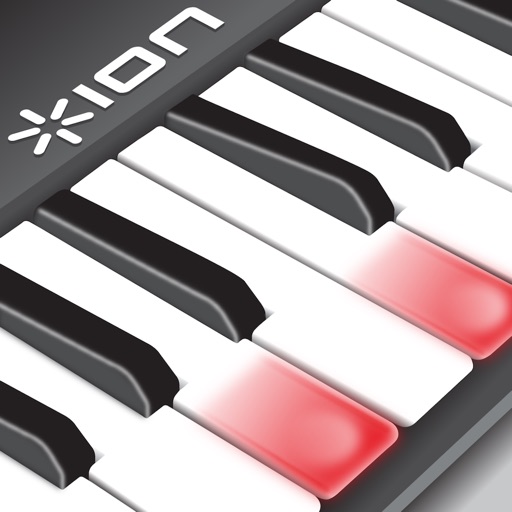
Music with interactive lessons and light-up keyboard
Piano through interactive lessons and exercises. Access a library of songs and lessons. Use light-up keyboard feedback to guide playing. Track progress with visual indicators. Sync with Piano for real-time response.
Take notes, sketch, and plan in a single with realistic ink and paper. Create custom tools and choose from colored paper types. Collaborate on documents and sync notes across devices. Write and draw with infinite width pages.
Convert to with customizable voices and accents. Select from various expressive options. Narrate documents, articles, and notes. Share generated audio files directly. Sync with cloud storage for access across devices.
Learn with video lessons featuring Scott Houston. Select songs to practice. Start with right hand, then left, and combine both. Follow illuminated keys on compatible keyboard for guidance. Track progress through lesson completion.