Perform calculations in a stack format. Each line functions as a standalone calculation or interacts with others. Edit, delete, or rearrange entries. Use mathematical functions and parentheses. Save and recall previous calculations.
by Great Hill Global Limited★ 5.09 ratingsBusinessFreeData updated 2026-09-06
Control lighting systems via DMX using an ethernet-to-DMX converter and Art-Net protocol. Adjust colors, intensities, and effects in real-time. Save and recall scenes. Export lighting cues for future use. Connect to multiple devices simultaneously.
Measures reflected intensity for manual cameras. Calculates reciprocity adjustments. Displays exposure values for film photography. Integrates with camera apps for real-time readings.
Performs basic arithmetic and scientific calculations. Save equations and results for later. Unit Converter converts units for area, length, temperature, and more. Includes tools for currency exchange, date calculations, and percentage computations.
Calculate monthly mortgage payments, loan terms, interest rates, and loan amounts. Adjust variables to recalculate other values. Include property tax, insurance, down payment, and mortgage insurance in calculations.
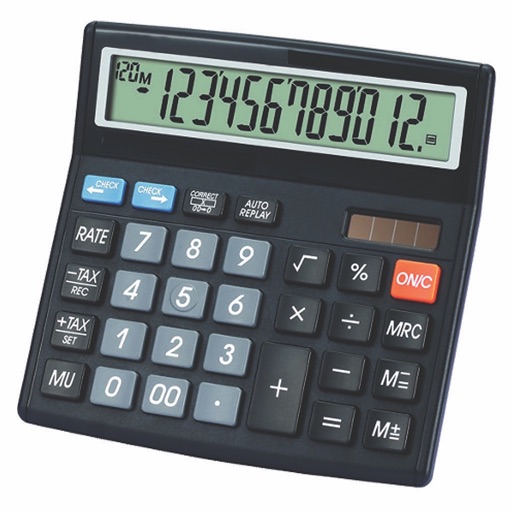
Calculate taxes with real-time GST rate updates. Input values to compute and GST amounts. Use memory functions M+, M-, MR, MU for financial calculations. Switch between two button layouts for easier navigation.
Perform basic calculations with addition, subtraction, multiplication, division, and percentage. View and edit all entries on an electronic paper tape. Access six calculators with customizable colors.
Calculate with scientific precision and enhanced functions
Simulate the HP-45 scientific calculator with photo-realistic visuals and original LED or LCD display. Print calculations, animate keys with sound and feedback, and replicate the calculator's computation times.
Play rhythm with adjustable tempo and beat patterns. Record audio sessions. Use chromatic tuner for pitch accuracy. Create loops and setlists. Control pitch and metronome functions simultaneously. Export recordings. Sync with music apps.
Allows users to perform improvement calculations and unit conversions. It includes 440 calculations for hours, cost estimates, and takeoff quantities. Users can save and email results. Inputs and outputs are available in decimals or fractions.
Perform calculations with a dedicated calculator. Save and share calculation history via PDF or email. Use dark mode and access the through Today View. Sync with Apple Watch for on-the-go use.
Perform complex calculations with advanced mathematical functions and programming capabilities. Print results using compatible printers. Save and load calculator sessions. Access open-source code and modify under GNU GPL v2 terms.
Calculate of values, increase or decrease values by a percentage, and find the original value before a percentage change. Set custom values, view step-by-step calculations, and save results for future reference.
AR measuring lets users tap two points on the camera screen to measure object lengths. Auto convert button changes units. performs basic math functions.
Standard performs basic operations like addition, subtraction, multiplication, and division. includes trigonometric functions, power calculations, and constants. Access calculation history. Calculate area for circles and triangles.
Calculate with a dual-line display showing input and result simultaneously. Use percentage and backspace functions. Choose from 18 color themes. Enter multi-line equations. Automatically format scientific expressions. Access via Split View.
Perform calculations with a sleek, intuitive interface. Share results via text messages, WhatsApp, and other platforms. Solve equations and access advanced math functions for precise results.
Perform basic arithmetic operations, including addition, subtraction, multiplication, and division. Calculate percentages and fractions. Use scientific functions like square roots and exponents. Save frequently used equations for quick access.
Allows users to perform basic calculations with a large, easy-to-use interface. It includes a tape for reviewing entries, adding comments, and timestamping transactions.
Calculate arc dimensions including radius, length, width, height, apothem, angle, and area. Input any two values to derive the rest. Useful for carpenters, architects, and engineers. Supports complex mathematical calculations.
Calculate with , edit equations instantly, preview
Input allows users to speak equations for instant calculation and audio output. Tap to edit equation parts without backspacing. View equation components above the input and the result below. Access calculation history and favorites for quick reuse.