Stickers are organized into four tabs for easy access. Users can send stickers to contacts such as friends, family, or coworkers. Stickers include expressive images of a frog named showing various emotions. No in- purchases required for all stickers.
by Christina Tran★ 4.92,350 ratingsStickersFreeData updated 2026-09-06
Send directly within iMessages and WhatsApp conversations. Tap to select and send pre-designed images that express emotions or add humor. Customize sticker packs with themed designs for different occasions.
Stickers allows users to send oversized couple stickers in chats. Features include selecting from a set of large romantic images, sending them directly in messaging apps, and viewing animated versions of the stickers.
Browse and select from a collection of meat-themed stickers. Customize sticker size and position. Share stickers via messaging apps or social media. Add stickers to photos or messages directly.
Create stickers, share variations, collaborate in Freeform
Create and share customizable stickers with light and dark mode themes. Combine variations in iMessage and Freeform. Use blank canvas stickers for custom designs. Apply combos directly in iMessage.
Use Emoji to add humor to messages. Access a collection of meme-based emojis for texting and chatting. Share directly in conversations. Customize sticker packs with popular internet memes.
Stickers allows users to access 33 hand-drawn stickers. Features include adding stickers to messages, sharing via social media, and customizing sticker placement.
Share Bible verses as stickers. Include Scripture from the Book of Matthew and Douay Rheims Bible. Add motivational messages for daily encouragement. Send stickers to friends or social media.
Use animal stickers to react to messages and add emotion to conversations. Choose from dogs, cats, wild , birds, ocean life, and woodland creatures. Customize expressions with vibrant colors and detailed illustrations.
Send floral stickers to personalize messages. Place stickers on conversation bubbles, images, or other flowers to create bouquets. Add personal messages with stickers to grab attention and make text more meaningful.
Access a collection of dog-themed stickers. Customize messages with playful dog images. Share stickers via messaging apps. Add to favorites for quick access. Apply to photos or texts instantly.
Send animated featuring vegetables like carrots, onions, and potatoes to enhance text messages. Choose from expressive characters such as a shocked potato or a crying onion.
Create and save self-portrait stickers for . Crop or let the do it. Add hats, beards, or sunglasses. Stack multiple stickers on a single image. Share stickers directly in conversations.
Send stickers as emojis or peel and place them on top of speech bubbles. Choose from a variety of dog and puppy stickers. Add humor and personality to messages with customizable sticker placements.
Apply stickers to friends' jokes to express humor levels. Select from predefined funny or serious ratings. Share reactions directly via messaging apps. Customize placement and order.
Access iMessage stickers featuring nature-inspired designs from the × On collaboration. Use stickers directly in iMessage conversations. View collection details on the official website.
Share and customize stickers with random doodles. Add, delete, and rearrange stickers on messages. Save favorites and access a growing collection of expressive images.
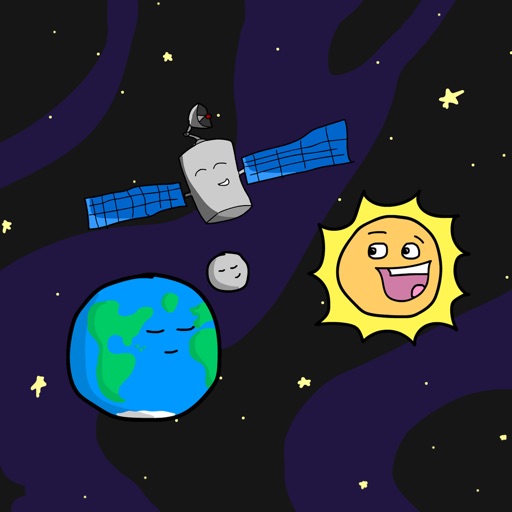
Add space-themed emoji stickers to iMessage conversations. Customize messages with animated stickers of planets, rockets, and stars. Share stickers directly within chats or save for later use.
Create and send animated stickers with sound effects. Customize sticker size and duration. Add text overlays and background music. Share stickers via messaging apps or social media.