And create sketches using brushes, pens, and pencils. Build layered artwork with zoom for fine details. Import and export vector images in PDF, PNG, and JPEG. Save as transparent PNG. Supports Apple Pencil for precise drawing.
Create and edit sketches with intuitive tools and customizable color palettes. Export sketches for use in other graphics software. Support multiple windows and dark mode for enhanced workflow.
Sketch and draw using the ® with step-by-step guidance. Learn to write with interactive lessons for all skill levels. Export drawings and access tutorial videos for practice.
Allows users to practice through interactive games. Customize settings to adjust difficulty and game options. Track progress and play repeatedly until mastery is achieved. Share feedback and ratings to support continued development.
Teaches early math and reading skills through interactive . Helps toddlers recognize numbers, letters, and shapes. Tracks progress and provides instant feedback. Includes animated characters and fun rewards to keep children engaged.
Memorize digits with customizable Piems and voice recitation. Track progress with performance stats and sound effects. Reverse digit order for practice. Compete with friends via Center. Set high scores and challenge others.
American with interactive lessons and a real-time dictionary. Practice signs through step-by-step tutorials. Translate signs into text and view meanings. Track progress and access resources for all skill levels.
Securely connect to a private network with one-tap access. Choose from global servers to route traffic. Hide IP address and encrypt data. Protect online activity on public Wi-Fi. Block ads and track bandwidth usage.
Create art with drawing tools and color palettes. Explore ABC tracing, shape recognition, and logic puzzles. Learn about countries through flag identification. Listen to interactive bedtime stories. Track progress with activity completion badges.
Learn to characters with step-by-step video tutorials on eyes, hair, clothes, and poses. Trace sketches using the device's camera. Progress from beginner to advanced with skill-level tailored lessons.
To with guided lessons that show real strokes from professional artists. Practice step-by-step techniques to build confidence and accuracy. Use Apple Pencil for precise input and track progress through interactive exercises.
Draw sketches using brushes and tools with support for Apple Pencil. Create layered artwork and zoom for detailed painting. Import and export vector images in PDF, PNG, and JPEG formats. Use color or photo backgrounds. Save artwork for later.
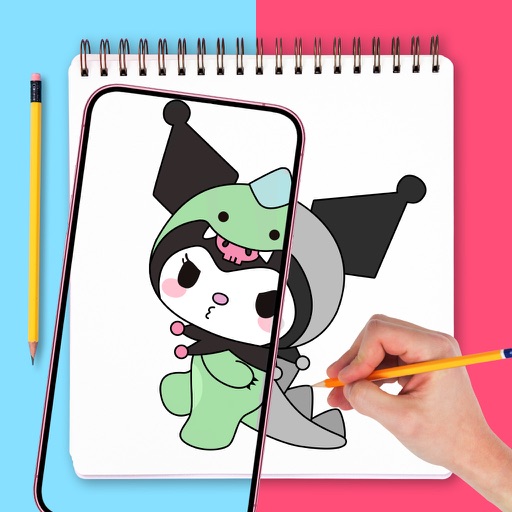
Use augmented reality to draw on any surface. Trace outlines, adjust colors, and add textures. Save and share drawings. Access tutorials for beginners. Export in various formats.
Diagnose and fix common issues with step-by-step instructions. Enter product details to identify problems. Access repair history for past issues. Cover home appliances, vehicles, plumbing, and electronics.