Document Scanner converts paper documents, images, and receipts into digital files. Scan and save documents in various formats. Edit scanned images, add notes, and share files via email or cloud services.
Store and manage files like photos, videos, music, and documents. Access files from iPad, iPhone, or web. Create and organize folders. Share files via email, text, iMessage, Facebook, Twitter, or copy links. Earn extra storage space through activity.
Manage files across cloud servers, devices, and apps. Transfer files between iCloud, Dropbox, Google Drive, and more. Access, print, and email files directly.
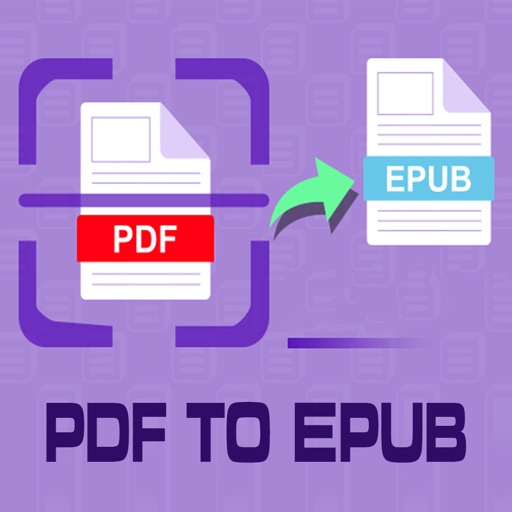
Convert PDF files to format for mobile reading. Edit text, adjust fonts, and customize margins. Export as and share or save to device. Supports iPad, iPhone, and ebook readers.
Read and annotate PDFs with text highlighting and comment features. Convert documents to editable formats. Scan and digitize paper files, receipts, and notes using AI. Edit text, add signatures, and fill out forms.
Record dreams immediately upon waking with a quick entry feature. Access and browse dreams using an intuitive date slider. Add details like people, themes, and notes to each . Search for specific dreams using keywords, people, or themes.
Manage files across iPhone, iPad, or iPod touch. Connect to Mac or PC via Wi-Fi for file transfers. View documents, play music, browse images, and record audio. Drag and drop files from Finder or Windows Explorer.
From laptop to iPhone or iPad via Wi-Fi and browser without cable. Cut, copy, compress, and manage directly on the device. Open various file types including documents, images, and videos.
View web pages and documents in a readable format with one tap. Highlight and comment on articles. Save articles for offline access. Search and organize saved content. Find text within articles. Share highlights as HTML or text.
Turn your device into a document scanner with smart capture for multipage documents. Edit, , and share scanned files. Capture receipts, letters, invoices, and business cards with precise border detection. Enhance image clarity automatically.
Read and annotate PDFs with highlighting, freehand drawing, and audio notes. Edit text, add signatures, and convert files to other formats. Organize documents, merge or split PDFs, and insert pages or hyperlinks.