Visualize objects in true-to-life scale and place them on walls, floors, or ceilings. Explore multiple items simultaneously and switch colors instantly. Save and share visualizations of your designs.
by Vizbl Technologies Limited★ 4.56 ratingsBusinessFreeData updated 2026-09-06
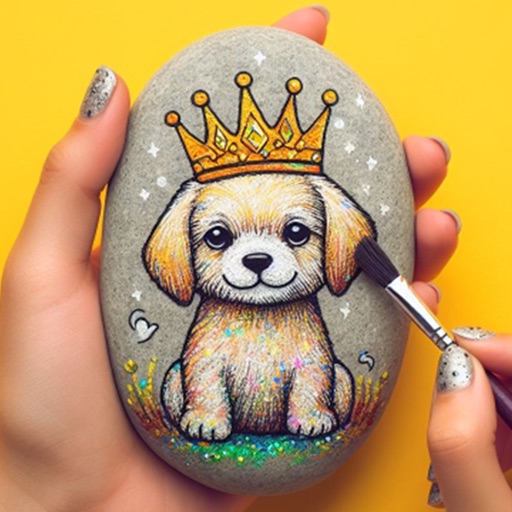
Within 3D rocks featuring realistic textures and vibrant colors. Choose from various themed designs. Apply custom colors and patterns. Save and share completed artwork. Adjust lighting and perspective for detailed viewing.
Edit photos by adjusting shape with a slider, protect background from distortions, remove unwanted objects with a swipe, blur specific elements, and automatically remove backgrounds. Access advanced features via a subscription.
Edit photos and images with advanced tools for retouching, layering, and painting. Create multi-layered art and designs. Adjust colors, contrast, and lighting. Export in various formats and share directly.
View and compare 3D models in AR within real environments. Share captured scenes for collaboration and customer interaction. Present models via QR codes for easy access. Manage and organize 3D assets within the .
Edit spaces by describing changes, such as remodeling layouts or adjusting decor. Use tools like prompt, style, furnish, paint, and erase to refine designs. Visualize furniture and decor styles through AI-generated images.
Create 3D room visualizations by snapping photos and selecting design styles. Explore custom prompts to modify spaces with specific decor elements. Shop recommended furniture and design items based on the generated designs.
Choose colors and visualize them in your space using AI technology. Upload photos of rooms to see options in real-time. Adjust lighting and surfaces to match desired aesthetics. Save and compare palettes for interior and exterior designs.
Create logos using AI-generated designs based on custom prompts. Edit and customize logos with tools for color, font, and layout adjustments. Export logos in various formats and share directly.
Design your backyard using AI-generated designs in any style. Place realistic 3D plants via AR within your outdoor space. Edit photos to overlay high-quality plant images. Identify plants by taking a photo.
Create and visualize tattoos using AI-generated designs. Choose from various styles and customize elements. Use AR to preview tattoos on your body. Save and share designs. Adjust colors and layouts.
Objects using the camera by highlighting one item. Manually add or remove items to adjust the . Save and review results. Supports various items like logs, pipes, and bars.
Create and refine artwork using AI-powered tools and AR integration. Access 550+ lessons with character-based tutorials. Collaborate with others in real-time. Track progress and receive feedback. Export drawings in various formats.
FITNESS TRAINING GLOBAL ONE MEMBER COMPANY LIMITED
Sketch with AR and AI
AR – Project sketches onto real-world surfaces using augmented reality. objects for precise outlines. AI-powered tools suggest color palettes and brush strokes. Edit layers, adjust opacity, and apply effects.
LUNAPARK MEDYA INTERNET TEKNOLOJILERI SANAYI VE TICARET ANONIM SIRKETI
Generate logos from text descriptions
Create logos by describing your vision. AI generates professional designs instantly. Customize colors, fonts, and styles. Export logos in multiple formats and share directly.
Edit photos by removing objects, erasing backgrounds, enhancing quality, expanding canvas, or replacing elements. Generate new images with AI filters. Perform basic edits and apply creative AI effects. Save and share edited photos directly.