Design and simulate electromechanical systems using relays, switches, buttons, contactors, timers, and motors. Create electrical diagrams, test circuit functionality, and analyze component interactions. Export simulation results and share designs.
by Abdessamed Benkabouya★ 4.214 ratingsEducationFreeData updated 2026-09-06
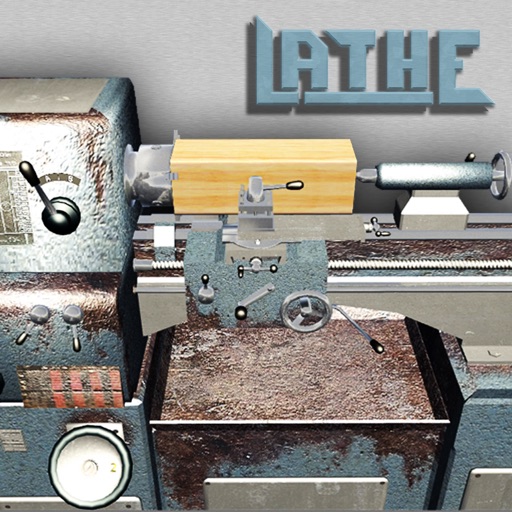
Create and shape custom forms from various materials using realistic 3D simulations. Adjust spindle speed, select tools, and perform milling and turning operations. Save and export designs. Learn machining techniques through interactive tutorials.
Learn about networks through interactive tutorials and visualizations. Explore simplified datasets and see behavior in real time. Complete mission-based challenges to understand concepts like training, activation, and optimization.
Solve 17 random problems to improve skills. Use a virtual voltmeter to test circuits. View animated motor starter diagrams for forward and reverse operations. Switch between control schematics instantly.
Prepare for the written driver's permit test with state-specific question sets. Review questions, track progress, and simulate test conditions. Answer questions on traffic signs, rules of the road, and safe driving practices.
Design and simulate analog and digital circuits with SPICE technology. Analyze circuit behavior and test designs. Explore 97 example circuits including BJT amplifiers, MOS amplifiers, oscillators, filters, and complex projects like UART and RISC CPU.
Diagnose and troubleshoot RV air conditioners, heat pumps, water heaters, and furnaces. Access detailed component information and manufacturer data. View system diagrams and repair guides. Subscribe for in- content updates and technical support.
Create circuits using logic gates and basic building blocks. Wire components on a flexible plane. Simulate real-time behavior. Learn fundamental concepts of engineering and computer science.
Calculate circuits, convert units, test experiments
Solve electrical problems by calculating voltage, current, and resistance. Input values to determine unknown variables. Perform unit conversions and conduct experiments. Store and retrieve calculation results.
Play bagpipes using on-screen controls to simulate fingering and embellishments. Adjust breath pressure and volume for realistic sound. Listen to high-quality recordings of real bagpipes.
Help robots complete chores like cleaning oil spills and organizing parts. Fix the control panel and mend circuits. Explore hidden interactive areas and find the hidden robot mouse.
Convert audio recordings, PDFs, and YouTube videos into notes, flashcards, quizzes, and podcasts. Chat with notes to extract insights. Include tables, emojis, diagrams, and equations. Sync notes across the and website.
Simulate milling operations in 2.5D with G and M code support. Edit and run G0 to G95 codes. Use radius compensation G41/G42. View sharp vector graphics and zoom. Access multiple languages. Track tool paths and machine movements.
Design and customize city maps with building and decoration cards. Place rooms and simulate scenes as doctors or patients. Interact with friends to like and compete in design creations. Explore built environments and engage in role-play scenarios.
The app provides over 160 electronic applications, including a multi-functional keyboard, color code tools, and a frequency generator. It features a selected page, component reference section, and real-time circuit simulations for example circuits.
Learn -making techniques through step-by-step video tutorials and detailed diagrams. Access material guides for affordable supplies. Create bracelets and necklaces at home with clear instructions for all skill levels.
Track and cryptocurrency prices in real time using virtual money. Buy and sell assets to practice trading strategies. Monitor portfolio performance and analyze trends. Set alerts for price changes and review historical data.
Create and study custom diagrams. Import images or use the camera to capture diagrams. Conceal terms by drawing over them and tap to reveal. Zoom and pan for detailed viewing. Sync across iPhone, iPad, and Mac.
Study materials can be imported from DOC, DOCX, PDF, and other formats. Users can add subjects, input manually or through document imports. Text and graphic content such as photos, diagrams, and formulas can be included.