Edit laser marking documents with text and vector image tools. Perform actions like move, zoom, rotate, align, and fill. Download vector graphics from the cloud. Transfer edited files to a device via LAN.
Edit and manage PDF files by splitting, merging, and combining documents. Lock and unlock PDFs, compress files, and convert between formats. Select specific pages for splitting and merge multiple files into one.
Scan documents, IDs, and books with auto-correction and perspective adjustment. Extract text and erase unwanted elements using AI. Enhance images for clarity and export as PDF or JPG.
Images using adjustable strength and soft/hard brushes. Remove stains and defects from photos. Enhance images with high-resolution editing and zoom. Apply focus to hide unwanted details. Offset wrist to avoid finger obstruction during editing.
Transfer files between devices, iCloud Drive, and cloud services like Dropbox, Box, OneDrive, and Google Drive. Upload/download to FTP/SFTP/FTPS servers. Save local files to iCloud Drive. Export files in various formats.
View and edit documents with support for PDF, Word, Excel, PPT, TXT, and more. Copy text, search, highlight, and annotate PDFs. Edit Word/Excel files lightly. Add PPT notes and use text-to-speech. Sync files via cloud with folders and tags.
Manage with drag-and-drop, batch renaming, deletion, copying, and moving. Compress, decompress, encrypt, and decrypt . Share via cloud services and scan documents. Edit , view details, and access a recycle bin.
Edit photos with body transformation tools, one-touch filters, and cropping. Apply mosaic and blur effects to background. Add vignette. Adjust and share edited images directly.
PDF with e-signature features. files into digital formats. Organize and store securely. Share signed files via email or cloud services. Edit and annotate PDFs directly within the .
Apply to photos with one tap. Adjust colors, exposure, and contrast manually. Sync edits with CC via Adobe Creative Cloud. Export edited images in various formats. Share directly to Instagram or blogs.
Edit and convert PDF files directly on your device without uploading to servers. Merge, split, or extract pages from PDFs. Add annotations, watermarks, and form fields. Export to various formats and share files securely.
Share files between mobile devices and computers using FTP protocol. Transfer photos, videos, and documents over Wi-Fi. Connect to any device with an FTP client. Manage file transfers and access remote servers.
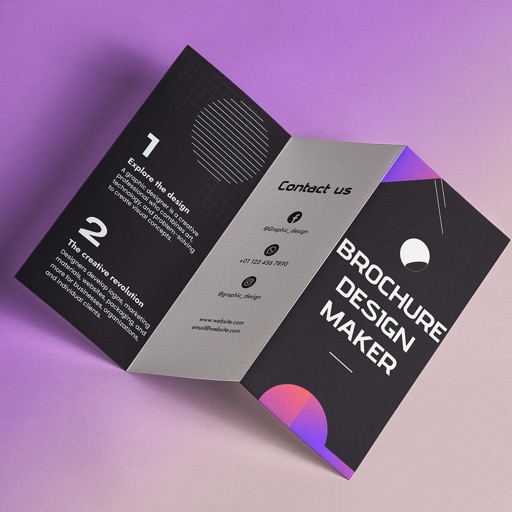
Create brochures by selecting from 2500+ templates across industries like business, travel, and education. Edit layouts, add text, images, and graphics. Export as PDF or print directly. Save and share designs.
Scan documents, files, licenses, and text to create PDFs. Generate customized QR codes. Edit, crop, and rotate scanned content. Save and share scanned files securely.
Convert photos and documents into high-quality PDFs with quick scanning and advanced image processing. Edit PDFs with built-in tools. Batch scan multiple files at once. Use OCR to extract text from images. Share or save PDFs directly.