Create logos, flyers, and business cards using 100,000+ editable templates. Use AI tools to generate logos or turn text into images. Export designs as links or QR codes for sharing.
Edit photos with filters, cropping, and adjustments. Add text, stickers, and layers. Create collages with 500+ grid templates supporting up to 9 images. Design stories with templates and grids. Cut out photos and add backgrounds.
Create and share clips automatically. Select a , choose video type, and generate short or full-length . Share directly to Instagram, Facebook, Twitter, LinkedIn, WhatsApp, SMS/iMessage, and more. Set up automatic audiogram for new episodes.
Create collages using pre-designed templates and personal photos. Sort images by color to filter matching photos. View and photo library simultaneously for easy arrangement. Add web images directly from the . Export and share finished collages.
Edit photos with AI-powered trend filters, celebrity styles, and Polaroid effects. Apply makeup and hairstyle changes instantly. Export edited images in various formats and share directly.
Create GIFs from videos with editing tools. Add stickers and emojis for customization. Export in various formats for sharing on social media and messaging apps. Share directly to platforms like Facebook, Instagram, Twitter, and Messenger.
Create social media content with customizable templates and themes. Edit photos and videos by removing backgrounds and adding animations. Share finished stories directly to social platforms.
Create AI-generated images and videos from text input. Use pre-designed templates for social media content. Edit and enhance visuals with built-in tools. Share directly to platforms like TikTok and Instagram.
Edit photos and videos with 6 custom film camera filters and 14 unique film stock options. Apply 130 professional presets for consistent color grading. Adjust exposure, contrast, and saturation manually.
Edit photos by applying customizable textures from a library of 45+ patterns. Adjust brush size and texture opacity for precise control. Change texture colors to match the image's tone using the Tint feature.
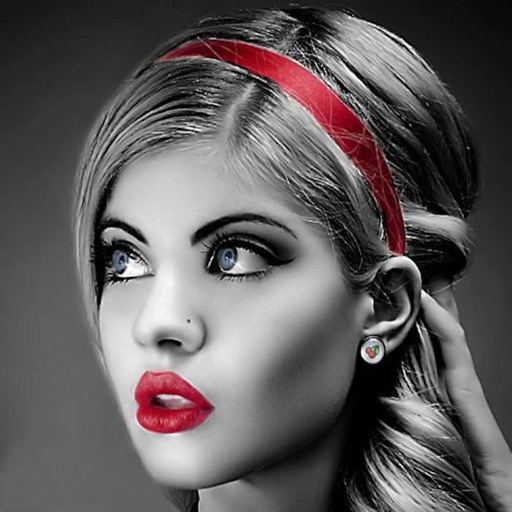
Edit photos with selective effects using gesture controls. Zoom and pan to adjust splash areas. Convert parts of the image to grayscale while keeping selected regions in full . Export edited photos directly.
Create social media posts, flyers, collages, logos, and wallpapers with drag-and-drop tools. Use pre-designed templates for Instagram, Facebook, and phone wallpapers. Add text, images, and graphics.