Control devices, view videos, capture photos, record
Control a device via WiFi for remote operation. View live video feeds, capture photos, record and playback videos. Browse stored images and manage media files directly from the .
by HOLY STONE TECHNOLOGY Co.,Ltd.★ 3.325 ratingsPhoto & VideoFreeData updated 2026-09-06
Capture photos and videos with manual controls, exposure adjustment, and focus customization. Import and organize media from iOS photo library. Edit images with filters, cropping, and brightness adjustments. Share directly to social media or email.
Record live videos and photos. Apply and to images and videos. Upload from gallery or capture directly. Use on jewelry, landscapes, and vehicles. Adjust for creative visuals. Share edited content.
Capture photos and videos with a Glitter effect for enhanced visual appeal. Edit media from the gallery. Create kirakiragraphs from still images. Swipe left or right to navigate.
Access and manage video and photo files from compatible devices via WiFi. Perform basic editing functions. Share content directly or export in various formats. Supports forensic and sharing use cases.
Record video with real-time voice-following . Adjust text size and position. Sync speech recognition to control prompt speed. Export final video directly.
Watch 4K Ultra HD videos with Dolby Vision HDR and no ads. Upload and record videos in high quality. Live stream, collaborate, and share videos directly. Save videos for offline viewing. Edit with AI-powered tools for one-take video creation.
Capture photos using Auto, Manual, RAW, Slow Shutter, and Macro modes. Apply built-in filters and adjust brightness, contrast, and saturation. Edit images with cropping, straightening, and exposure tools.
Capture photos with a retro film aesthetic. Adjust exposure, contrast, and color balance. Add vintage filters and grain effects. Share edited images directly to social media. Export in high-resolution formats.
Apply real-time cartoon and art effects to live camera feed. Record videos and take photos with cartoon filters. Convert existing videos into animated cartoons. Share edited content directly.
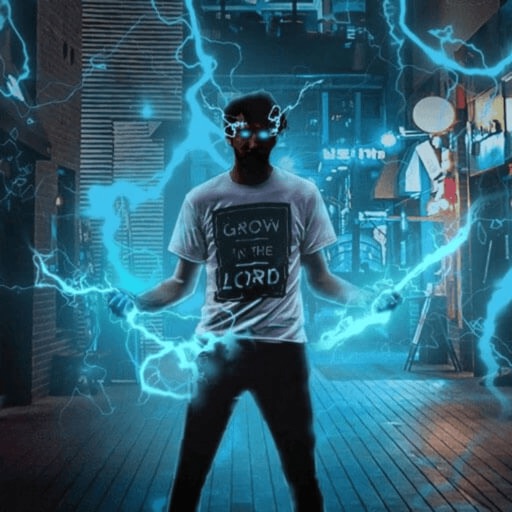
Record and edit videos with visual and templates. Add elements like dragons, magic circles, and space scenes. Include such as fire, laser, and lightning. Export and share edited videos directly.
Edit videos and photos with AI-powered auto editing and manual controls. Create 360-degree content and adjust settings for cameras. Organize media into albums with customizable layouts. Export and share edited content directly.
The app transfers and backs up an unlimited number of photos and videos. It organizes files into folders by recording date, media type, album name, and metadata.
Control DJI drone flights with preloaded missions and custom routes. Adjust camera settings, capture photos and videos, and review media directly. Share content via social media or email. Track flight data and manage drone settings remotely.
Create and share -style videos with a VHS filter. Record and send low-quality, aged-looking videos. Add text overlays and effects. Share directly to social media or messaging apps.
Record and send videos with a , VHS-style appearance. Apply filters and effects to create vintage looks. Share videos directly to social media platforms. Collaborate in real-time with others during video creation.
Backup and secure photos and videos automatically with no quality loss. Free up device storage instantly. Access entire collection instantly with fast speed and unlimited storage. Share media directly from the .
Repost photos, videos, and stories from . Copy captions and tags. Save repost history. View all posts from followers. Repost profile photos. Browse follower feeds and stories. Access user profiles.
Secure photos and videos with encryption and password protection. Set access restrictions and enable remote wiping. Control who can view or edit media. Prevent unauthorized AI usage of content. Manage storage and backup options.
Create videos using personal photos and . Select images from the Photo Library, apply transition animations and set frame durations. Save videos to the Photo Library or share them directly.
The app allows users to create videos from photos with effects, frames, and text. Users can add music and share videos on social media or save them to their device.