Desktop displays time with a style and retro interface. Set focus mode to minimize distractions. Use countdown timer for tasks like cooking or workouts. Adjust settings for time zones and alarms.
Take a photo of an object to estimate its weight using local algorithms. Participate in weight-guessing challenges. Unlock achievements based on performance. View statistics for past guesses. No internet required.
Converts zones with atomic accuracy for event scheduling. Adds events to calendars with a tap. Displays interactive widgets showing current local times. Tracks differences and alerts for upcoming meetings.
Display time in 12 or 24-hour format with seconds and date. Customize appearance and choose themes. Set alarms with customizable sounds. Control screen brightness and activate flash torch. Include standby and interactive widget features.
Display full- digital time with seconds on dynamic island and . Choose from various digital font styles and customize colors. Show date and week information. Set hourly chimes and voice time announcements.
Track weekly toward goals using a calendar that visualizes time as dots representing weeks. Set and monitor expectancy-based milestones. Sync data across devices and receive weekly summaries to stay intentional and mindful.
Securely store and access photos and videos with a password-protected lock. View files behind a interface that hides content until the correct password is entered. Manage and organize media within a private, encrypted album.
Adjust video playback speed up to 2x with 5% increments. Pause, play, and jump ±10 seconds. Use the position slider to navigate. Skip to specific parts of a video. Control playback directly within .
The app displays an approximate life expectancy based on age, gender, and nationality. Users can view this as a countdown or a specific date and set daily reminders for inspiration.
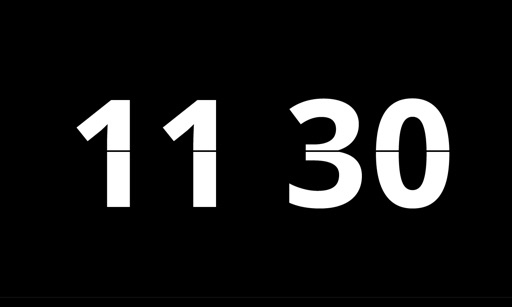
Display time and date in full screen with landscape or portrait orientation. Switch between 12-hour and 24-hour formats. Toggle dark and light modes. Choose between flip clock and analog clock styles. Enable or disable flip animation.
Display a large digital on a flat screen TV for photo shoots or home decor. Customize faces and colors. Sync with devices to show time from a distance. Share designs for use in professional settings.
Design and customize widgets for the Home Screen. Choose from modern faces, adjust colors and numerals, set time zones, and create widgets that update in real time.
Remind users of upcoming American holidays, birthdays, and events. Set custom reminders or alarms. View month history and origin. Access a world clock, calculator, todo list, and translator for American local time.
Display a with customizable colors and fonts. Toggle between 12-hour and 24-hour formats. Show seconds and date. Switch between dark and light modes. Rotate in landscape or portrait orientation.
Track sports games with customizable team names and secondary scores. Use a game clock, shot clock, and buzzers for real-time updates. Broadcast games online and change backgrounds.