Adjust image and crop in inches or centimeters. multiple photos on a single sheet. Preview exact dimensions before sending. Ensure high resolution by checking PPI settings and avoiding stretching below 200-300 PPI.
Create comics from photos with balloons, stickers,
Create comics from photos with word balloons, stickers, and filters. Add text overlays and adjust colors. Save and share finished comics. Edit and rearrange elements within the . Export in various formats.
Fry the last frame of videos to upload to TikTok. Edit memes by frying images or GIFs from the photo library or Gfycat. Share finished memes to camera roll or via iMessage as stickers. Open created memes in TikTok and Snapchat.
Create action scenes with realistic including fire, explosions, blasts, and muzzle flashes. Import or take a photo, then add by tapping and adjusting their position, scale, and rotation.
Add to videos using a library of 60,000+ royalty-free tracks across 80+ genres. Include voice-overs and background . Export videos for Facebook, TikTok, Instagram, Snapchat, and YouTube. Sync with social media platforms directly.
Blur faces or sensitive information with a single tap. Apply masks, adjust blur intensity, and resize or rotate blurs. Preview, save, and share edited photos. Protect privacy by blurring documents, license plates, or unwanted elements.
The app offers photo editing tools including filters, effects, and adjustments for brightness, contrast, and saturation. Users can add text and stickers to their images before sharing them.
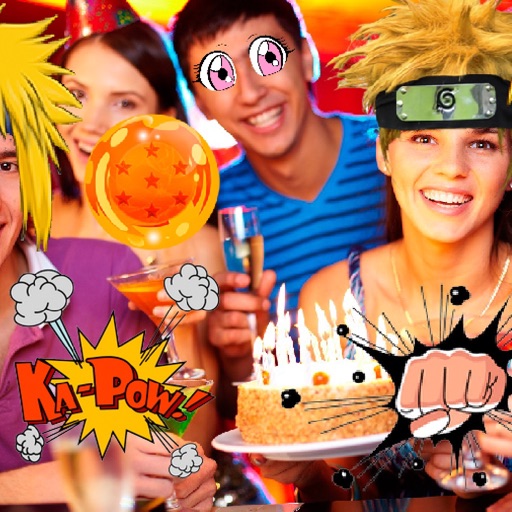
Take photos or select images from the gallery. Choose or stickers and place them by tapping and dragging. Adjust size, rotate, or move stickers as needed. Share edited photos directly.
Create album covers from photos with customizable templates and design tools. Add text, stickers, and parental advisory labels. Export and share finished covers directly.
Create custom stickers from photos or images. Crop selected areas, apply templates, and send directly to WhatsApp, iMessage, Telegram, or Signal. Share personalized memes and messages with friends.
Edit photos with filters, effects, and text tools. Add stickers, shapes, and draw over images. Adjust colors, lighting, and focus. Crop, resize, and enhance details. Apply tone curves and retouch features. Export and share edited photos.
Resize images by adjusting height or width while maintaining aspect ratio. Compress files to reduce size. Save to camera roll, Files , or share via email, printer, and other native options.
Create -themed with multiple creative options. Select images from gallery or camera. Apply effects for enhanced visuals. Share photos on social media platforms. Save edited images in high resolution.
Create palette reference images from photos. Select a photo from the library. Resize, reposition, and crop the photo into a square frame. palette automatically or pick colors manually. Change the layout using templates.
Edit photos and videos with border customization for Instagram. Import media from albums, Facebook, or Instagram. Add filters, text, and shapes. Share directly to Instagram for full-size posts.