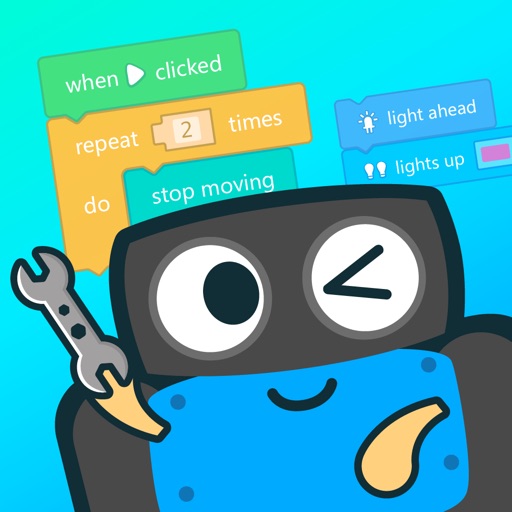
Learn to assemble and install program blocks through interactive lessons. Control robot movement with directional commands. Track assembly progress and edit programs using Blockly to direct robot actions.
by Guangzhou Tudao Information Technology Co., Ltd.★ 3.816 ratingsEducationFreeData updated 2026-09-06
Create cartoon robots by combining household items and garage objects. Solve puzzles and navigate mazes to develop problem-solving, decision-making, and hand-eye coordination.
Teaches programming through interactive courses. Allows children to design their own games. Features step-by-step guidance and age-appropriate lessons. Includes intelligent system for personalized learning. Supports 4-14-year-olds.
Learn coding through visual block-based programming. Control mechanical trucks in rescue missions. Save trapped dinosaurs and complete challenges. Track progress and unlock new levels. Share achievements with friends.
Teaches problem-solving through interactive 3D puzzle blocks. Allows children to assemble shapes and complete levels. Includes colorful visuals and simple drag-and-drop mechanics. Encourages hand-eye coordination and logical thinking.
Practice AFQT and full tests with 2000+ exam-like questions. Cover all test sections. Track progress with prediction tests. Prepare for army, navy, air force, marine, and coast guard entrance exams.
Teaches shapes, colors, and patterns through interactive puzzles. Allows users to drag and drop to complete images. Includes sound effects and simple animations to engage young learners.
Prepare for the with practice questions and detailed explanations. Review subjects including verbal, math, science, and spatial reasoning. Track progress and identify areas needing improvement. Receive feedback on results and performance metrics.
Create and edit with images and advanced formatting. Add bulleted lists, bold text, and code blocks. Study offline or on-the-go. Collaborate on and use spaced repetition to improve retention. Export and share directly.
Control 3 and Mini robots via the . Set up and customize robot interactions. Use AI and GPT for conversational learning. Engage in gamified educational activities. Participate in dance sessions and role-play conversations.
Access interactive math tools for hands-on learning. Use algebra tiles, base ten blocks, fraction circles, and pattern blocks to visualize concepts. Manipulate virtual objects to explore geometry, fractions, and coordinates.
Learn coding concepts like sequencing and events through interactive challenges. Create custom programs using a visual drag-and-drop interface. Control and Dot with programmed commands. Share projects and track progress.
Play a sliding puzzle game where players move left or right to control their character. Dodge obstacles that reduce numerical values. Complete levels by finishing races with the highest remaining .
Teaches coding through picture-based commands and guided challenges. Controls or Dot via Bluetooth. Offers lessons and projects for kids aged 8 and up. Allows users to program robot movements and actions.
Teach children the English through interactive games. Choose from themed characters and objects. Practice letter recognition and pronunciation. Track progress with built-in exercises and quizzes. Sync across devices.