Apps Like Cut & Paste Photo Editor for iPhone and iPad
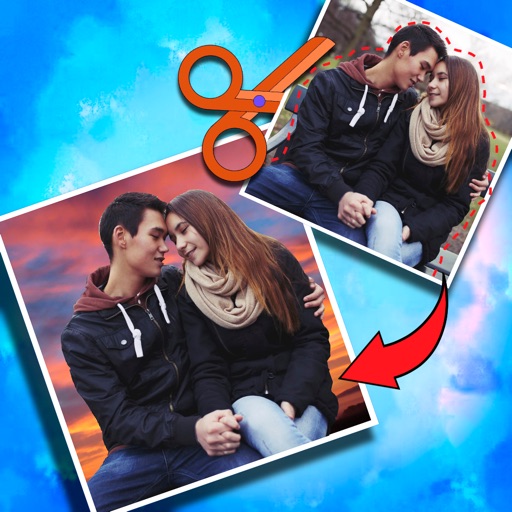
Crop photos and on new backgrounds
Crop photos and save individual cropped sections for later use. Combine cropped images with backgrounds or other photos to create new compositions. Apply filters to enhance the visual appearance of edited images.
by Koruskan SC★ 4.239 ratingsPhoto & VideoFreeData updated 2026-09-06
Create by overlaying a cropped face image onto another image. Crop and adjust face images. Select and position meme templates. Add text and stickers. Share directly to social media or messaging apps. Edit and refine meme compositions.
Backgrounds and erase unwanted using AI. Enhance photo quality and transform images with advanced editing tools. Edit multiple layers and apply filters. Share edited photos directly from the .
Edit photos with 50+ filters and adjustment tools for brightness, contrast, vibrance, and hue. Apply special effects like comic or sketch styles. Draw on images, add text, and use blur or rotate features. Crop and color splash photos.
Edit photos with over 900 effects including montages, frames, and caricatures. Create collages and holiday e-cards. Apply filters and adjust colors. Remove watermarks and export images without ads. Share edited photos directly.
Black and white with one tap. Adjust colors, enhance brightness, and fine-tune contrast. Save and share edited images directly. Includes tools for image enhancement and color correction.
Save from the web to the camera roll. Edit by adjusting speed, background, and filters. Crop, scale, and convert to video. Share to or save to the camera roll. Open edited in video editing apps.
Edit photos with background removal, object elimination, and AI-style transfer. Add text, stickers, and custom fonts. Generate AI art, create flyers, and apply effects. Export in various formats and share directly.
Create collages by selecting images from the library. Automatically generate and arrange layouts without manual cropping or resizing. Shuffle image order as needed before finalizing the .
Edit videos with trimming, splitting, and cutting tools. Add transitions, text, and stickers. Apply filters and effects. Export in high quality. Share directly to social media platforms.
Create poster or template collages with up to 20 photos or videos. Add text to images or videos. Edit photos with filters, cropping, and adjustments. Enhance visuals with artistic text overlays. Export collages in multiple formats.
Resize photos and images with precise pixel settings to maintain quality. Adjust dimensions according to predefined sizes or custom measurements. Save and share resized files directly.
The app transforms an iPhone, iPod touch, or iPad into a Wi-Fi network IP camera. It streams images, video, and audio to compatible applications and web browsers, with options for camera selection, flash control, and image adjustments.
Edit photos, enhance images, generate AI portraits,
Edit photos with AI to erase, swap, and change backgrounds. Enhance images using AI-generated effects and filters. Create realistic AI portraits and designs with templates, fonts, and backgrounds. Export and share edited photos in multiple formats.
Edit photos with reshape tools to adjust proportions and add muscle definition. Enhance facial features with retouch options. Apply filters and effects. Save and share edited images directly.
Allows users to expand photos by uploading images and using AI to extend backgrounds. Users can adjust expansion settings and preview results before exporting. The supports various formats and offers real-time adjustments for enhanced visual space.
Cut out objects from photos using automatic and manual tools including lasso, instant alpha, and eraser. Refine hair and edges for detailed results. Change backgrounds and apply effects to edited images.
The app downloads scanned images from compatible wireless scanners to an iOS device. Users can then edit, optimize, save, or share these documents directly from their device.