Apps Like Yellowstone.ai Command Center for iPhone and iPad
Receive alerts and view camera content
Receive instant push notifications for camera activity. View and review images and videos captured by cameras. Access real-time footage and manage camera settings remotely.
by ai yellowstone★ 4.8830 ratingsEntertainmentFreeData updated 2026-09-06
Capture photos with retro film filters and camera styles. Import images or videos to apply classic effects like Koda F, Polaroid, and 90s DV. Adjust exposure, contrast, and color to match desired film tones. Share edited content directly.
Provides a real-time framing preview of your iPhone or iPad camera setup. It simulates field of view for digital cameras and lenses. Users can adjust settings and see how compositions will look. It helps with preproduction planning for filmmakers.
Turn your iOS device into a wireless video source for live streaming. Connect to Teradek’s and Solo apps. Stream video in real time. Control camera settings remotely. Share footage directly from the .
Allows users to shoot photos and videos with 30+ simulated cameras, each replicating the color and texture of classic cameras. Users can apply unique styles to existing media or shoot directly.
Track wallet activity and monitor trades in real time. Set limit orders for automated buying and selling. on Solana and Base networks. Analyze market data and view wallet performance.
Adjust camera settings including exposure, focus, and white balance. Control shutter speed and ISO manually. Preview and review photos instantly. Save and share edited images directly.
Remote camera control allows users to take photos and videos from a distance. Adjust focus, zoom, and flash settings. Set timer for 3 or 5 seconds. Switch between front and rear cameras. View captured media instantly.
Simulate 40 types of instant, CCD, and film cameras. Capture photos with grain visible on zoom. Adjust lighting and color for authentic film look. Export images in various formats and share directly.
Access images and videos from a dash cam via WiFi. Review, crop, and enhance footage. Share content directly or save to device. Export in various formats for evidence or personal use.
Monitor live video feeds from IP cameras. Control camera movement and settings remotely. View footage history and receive motion alerts. Share camera access with family and friends. Manage devices through a centralized interface.
The app offers video editing tools for creating professional quality videos. Users can fine-tune visual effects, adjust playback speed, stabilize footage, and add images and audio.
Access event tickets, arena offerings, and game highlights. View real-time updates and news. Explore events and purchase tickets. Receive notifications for game schedules and special promotions. Track team stats and player information.
Access dash cam footage via Wi-Fi. View videos in real time, download or delete recordings. Manage dash cam settings and receive alerts. Compatible with specific Thinkware models and iOS 7.0 or later devices.
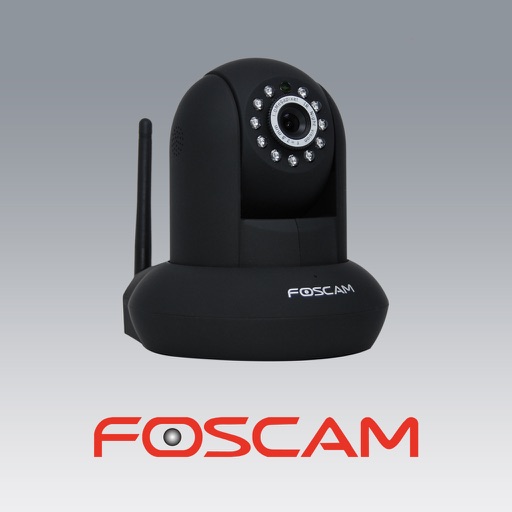
The app allows users to view and control Foscam IP cameras from an iPhone or iPad. Users can watch their home, kids, and pets remotely with a 3G or WiFi connection.
View thermal images and videos captured by the camera. Adjust temperature scales and color palettes. Save and share thermal data. Export in various formats. Access real-time temperature readings and annotations.
Control camera settings remotely via Bluetooth. Trigger long-exposure shots at set intervals for time-lapse videos. Support for multiple camera models. Enable bulb mode for extended exposures.
View live and recorded video streams from IP cameras on mobile devices. Monitor premises 24x7 remotely. Record footage and access it anytime. Receive alerts for motion or activity. Control camera settings and view real-time footage from anywhere.
Access live and recorded video footage from analog and IP cameras. View camera feeds remotely via iPhone, iPod touch, or iPad. Connect directly to the surveillance server. Receive real-time updates and monitor activity on the go.
Control the quadcopter via Wi-Fi using a joystick or gravity感应. View real-time camera feed, capture and review photos and videos. Enable automatic flight paths, voice commands, and gesture controls. Support VR mode for immersive viewing.