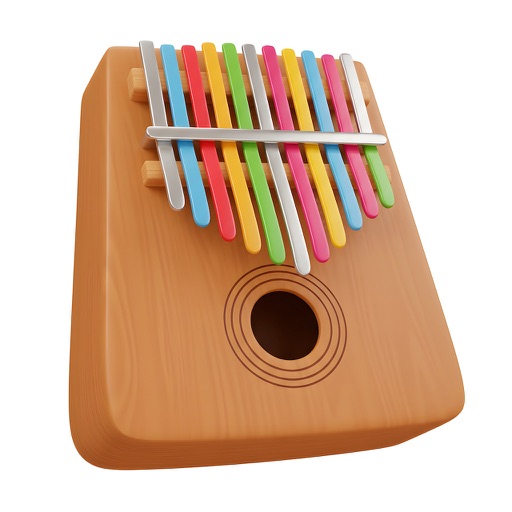
Play kalimba melodies with a 17-key layout. Adjust sound quality for low latency. Use sustain sensitivity for longer notes. Access simple controls and responsive design. Compatible with mobile and tablet devices.
by Mehmet Akif ERSOY★ 1.01 ratingsMusicFreeData updated 2026-09-06
Create and play melodies, scales, and arpeggios with one-touch-per-note controls. Adjust pitch of individual notes in real time. Connect to software effects or record directly in DAW apps.
Create and shape string sounds using a touch-sensitive Morphpad. Choose from nine sampled articulations and textures. Blend and morph between different string ensemble options. Adjust and layer sound effects for customized musical expressions.
Play tuning notes for a standard 4-string guitar. Select notes to match pitch. Adjust frequency for accurate tuning. Save preset tunings for quick access.
Play on your device with realistic studio-quality sounds. Use virtual frets to strum chords and play melodies. Adjust volume, effects, and tuning settings. Save and share custom riffs and songs.
Play chords and melodies using a tactile keyboard interface. Hold buttons and swipe or tap to create sounds. Access chords and notes via a grid for precise selection. Adjust pitch, harmonize, and apply real-time audio effects.
Tap squares to mirror notes and trigger glowing effects. Play calming melodies to reduce anxiety. Use different instruments and adjust difficulty levels. Track progress through levels and sessions.
Learn through condensed completed at your own pace. Interact with an intuitive chatbot for guidance. Receive live feedback on played notes. Use tools to build practice routines. Track progress with a simple interface.
Create by sliding fingers on a play pad to record and adjust drum , melodies, and bass lines. Edit tracks in real time and export audio files for sharing or further use.
The app allows users to create music by layering looped recordings of singing, beatboxing, or instruments. It provides a sophisticated interface with powerful features for both beginners and experienced users.
Allows users to play and organize sound effects, music, and voiceovers with a customizable grid layout. Features include customizing button colors and settings, creating soundboards, and accessing advanced playback controls.
Switch between Bluetooth and AirPlay audio devices instantly. View current output device and scan for nearby compatible speakers, , or audio gear. Manage connections with a simple, intuitive interface.
Create and share custom rhythm game levels. Play with scanner-style gameplay. Choose from various music genres. Access multiple gamemodes. Collaborate with other players. Customize graphics and sound effects. Track progress and achievements.
Customize appearance with color, , and background options. Select from gallery or take a photo for background. Choose key shapes and styles. Add sound effects and personalize layout.
Control piano sound with adjustable reverberation and voice settings. Access backing band accompaniment for singing. Connect to compatible instruments for real-time playback and performance.
Play melodies by plucking virtual keys with fingers. Simulate multiple note strikes simultaneously. Adjust sound settings and explore different tuning options. Save and share custom compositions. Sync with Apple Health for activity tracking.
Stream from SoundCloud Go+ and local files via cloud services. Import tracks in multiple formats. Organize library by title, artist, album, bpm, key, rating, or duration. Create custom playlists.
Play with high-quality audio files. Select from a variety of realistic vocalizations. Set as ringtones or notification . Share via social media or messaging apps. Adjust volume and playback speed.
Play with multiple key options including D and 15 others. Use built-in algorithms for tuning. Adjust settings for sound quality. Save and share performances.