Create collages with over 1000 layouts and customize with filters, frames, and text. Edit photos using cropping, adjustments, and stickers. Save and share edited images directly.
Edit photos and videos with filters, effects, and frames. Crop, adjust brightness and contrast, and add text. Share edited content directly with friends.
Edit photos with , cropping, and adjustments. Add text and stickers. Export in multiple formats and share directly. Use AI to enhance images and create artistic effects. Apply pre-designed templates for quick edits. Sync edits across devices.
Apply filters and to photos. Select from pre-designed templates to create images or cards. Edit photos by adding text, stickers, and custom . Share edited photos directly.
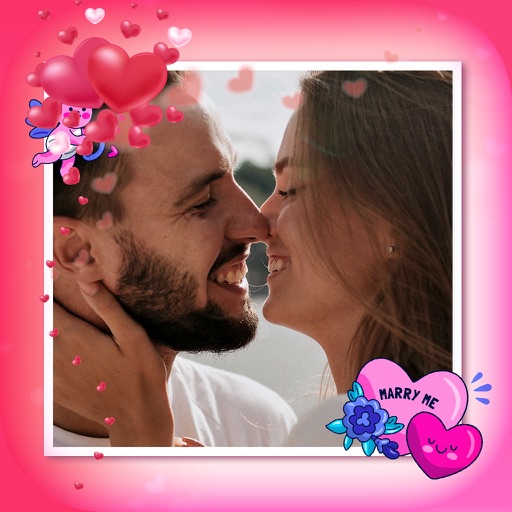
Create romantic messages animated photo and stickers. Add floating hearts, sparkling effects, and custom designs. Choose from heart, flower, and couple-themed animations. Share edited photos directly from the .
Create collages by adding photo grids, frames, and filters. Apply effects like sepia and retro. Add stickers and text. Share collages via messengers and social networks. Edit photos with built-in frames and layouts.
Take photos and videos with 200+ real-time filters, motion graphics, textures, and light leak effects. Adjust skin tone and apply vintage looks. Export edited media in various formats and share directly.
Edit photos with 220+ filters across 14 themes and add film-style analog effects. Apply textures for mood and light leaks. Create video stories using hundreds of templates. Edit videos with basic tools and share directly to social media.
Apply photo filters to create horror-themed images. Edit photos with cropping, adjustments, and effects. Add text and stickers for a creepy atmosphere. Export and share edited photos in various formats.
Create large tiled banners from photos for Instagram. Adjust size, add photos, and scale or move images. Save tiled banners to your album and upload to Instagram.
Edit videos by importing any length footage and selecting a layout or stencil. Add text or stickers. Cut video into 15-second fragments or custom lengths. Save clips to Camera Roll in chronological order. Share edited videos on Instagram Stories.