Stretch colorful bands to create artistic designs. Adjust band lengths and positions. Share creations with others. Access a library of color palettes and patterns. Save and export artwork.
by T Accelerator Inc.★ 4.5130 ratingsGamesFreeData updated 2026-09-06
Solve puzzles by tapping pins to release rubber bands and untangle them. Complete levels with increasing difficulty. Test physics understanding and lateral thinking skills. Adjust settings for gameplay preferences.
Coloring book allows users to color pre-drawn artwork. Choose from various themes like animals, landscapes, and mandalas. Apply colors to fill in sections. Save and share completed pages. Adjust brush size and opacity. Sync progress across devices.
Create and digital art with customizable brushes and palettes. Choose from themed pages and paint by number puzzles. Save and share finished artwork. Adjust settings for accessibility and ease of use.
Create art using -based drawing tools. Customize colors and brush sizes. Save and share creations. Import images to trace or combine with drawings. Export in various file formats.
Create art by selecting colors and filling in grids. Choose from pre-designed artworks or design custom pieces. Save and share completed projects. Access a library of free art templates. Adjust color palettes and grid sizes for different projects.
Create and customize colorings with numbered sections. Select from various landscapes and themes. Adjust color palettes and save progress. Export artwork as images. Sync across devices.
Create and customize slimes with various combinations and DIY recipes. Play in create mode or factory mode to mix, stretch, and store slimes. Add decorations like glitter and beads. Explore different types including clear, fluffy, and unicorn slimes.
Create custom and play with it by stretching, squishing, and popping. Interact with various slimes using finger movements. Enjoy realistic textures and effects. Use as a stress-relieving activity without mess or cost.
Create art by swiping to paint areas instead of tapping. Choose color palettes and customize brush sizes. Save and share completed drawings. Sync progress across devices.
Create and customize by mixing glue and borax. Choose items like lips and lashes. Stretch, poke, and twist the . Play through various themed levels including purple-aqua, unicorn, and rainbow slimes.
Design avatars with customizable clothing and skins. Create and style outfits using a visual editor. Import and apply designs to avatars. Export creations for use in games. Adjust colors, patterns, and accessories. Save and share custom designs.
The app allows users to create glowing artwork with drawing tools and add animations. Users can save creations to their photo album or email them to friends.
Color by number to fill 2D and 3D pixel art. Switch between 2D and 3D modes. Create moving 3D images or static 2D artwork. Save and share completed designs. Adjust color palettes and zoom in for detailed work.
Coloring book allows users to lowrider car designs. Features include glitter effects, cosmic themes, and customizable artwork. Users can save and share their creations.
Create art by spraying colors onto stencils. Select and place stencils to fill in objects. Choose colors and to cover stencils. Remove stencils to reveal completed artwork. Share finished pieces with others.
Allows users to based on numbers to create artwork. Select colors and apply them to numbered sections. Save and share completed drawings. Track progress and revisit previous creations.
Create art pages for children aged 6 to 10. Select and color individual pixels to complete images. Access a library of pre-designed artwork. Save and share finished drawings. Includes features for tracking progress and customizing color palettes.
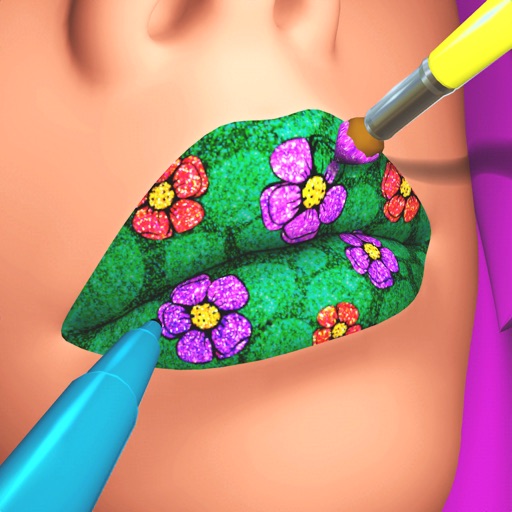
Create custom lip art using lipsticks, brushes, gloss, glitter, sequins, and rhinestones. Design unique lip art styles and share creations. View and compare user-generated designs. Track likes and engagement metrics.
Create drawings by combining different art styles. Divide images into sections and apply unique styles to each part. Mix and match colors and patterns to design custom artwork. Save and share completed creations.
By puzzles let users fill in numbered sections to create images. Choose from nature, mandalas, animals, and other themes. Save and share completed artwork. Access a library of pre-designed puzzles.