Edit and transcribe chord sheets with auto-scrolling and smart automation. Customize chord diagrams, adjust tuning, and apply capo positions. Transpose and access a virtual fretboard for alternative voicings.
Generate chords from a single MIDI note using scale and tonality options. Automate progressions with customizable patterns. Export MIDI files and integrate with DAWs for music production. Adjust voicings and inversion settings.
Create chord progressions using an intuitive chord selector and choose scales. Draw arpeggios for rhythmic patterns. Compose melodies and build full songs with multiple sections.
The app offers features for chord building, detection, scales, and songwriting. It includes a chromatic tuner, metronome, and fretboard learning with alternate tuning and capo support.
Create and play music using chord and melody controls. Switch between chords and melodies with one hand. Adjust key and chord progressions. Record and playback performances. Share created songs directly.
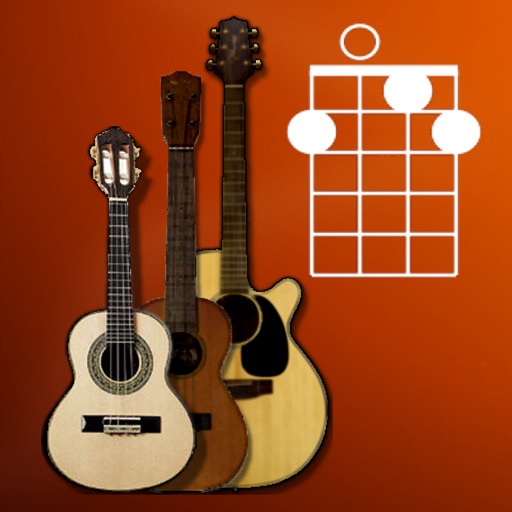
The app displays chord positions for Guitar, Ukulele, and other stringed instruments. It provides finger positions, chord or note information, and supports left-handed display with an option to disable autoplay.
Generate original MIDI loops with a single tap. Create catchy and inspiring short melodies. Export and share generated music. Access tutorials and demos for guidance.
Learn and practice and modes with interactive lessons and scale position loops. Swipe across strings to play and adjust speed. Use the tuner to stay in tune. Track progress and build muscle memory for improved finger dexterity and improvisation.
Helps users improve listening skills through music theory exercises. It includes pitch dictation with solfege or pitch naming, chord identification, and interval recognition.
Create and manipulate music using ribbon-like controls for pitch and modulation. Play melodies and chords with expressive gestures. Adjust synthesis parameters in real time. Export audio files and share directly.
Learn to identify musical notes, rhythms, and accents through interactive exercises. Match heard melodies on a virtual piano keyboard. Progress from simple one- or two-note phrases to complex musical patterns.
Create and edit progressions with inversions, sus2, sus4, 7th, and 9th chords. Play chords as piano or synth or send MIDI to macOS. Use phone as MIDI keyboard for macOS. Practice reading musical notation.
Access and tune guitar strings with real-time pitch detection. View and play chord diagrams. Explore scales and progressions. Adjust tuning settings and save custom presets. Sync with iOS devices for advanced tuning and playback features.
Create music by touching the screen to play notes and adjust sounds. Use multi-touch surfaces like radar, ribbon, or keyboard. Move fingers to modify tones. The semi-generative engine selects suitable notes automatically.