Simulate a Hammond Organ B3 with two manuals and a pedalboard. Adjust drawbars for upper and lower manuals and pedalboard. Use a physical modeling engine with 91 tonewheels. Apply rotary speaker effects and tube overdrive.
by GSi di Guido Scognamiglio★ 4.441 ratingsMusic$14.99Data updated 2026-10-24
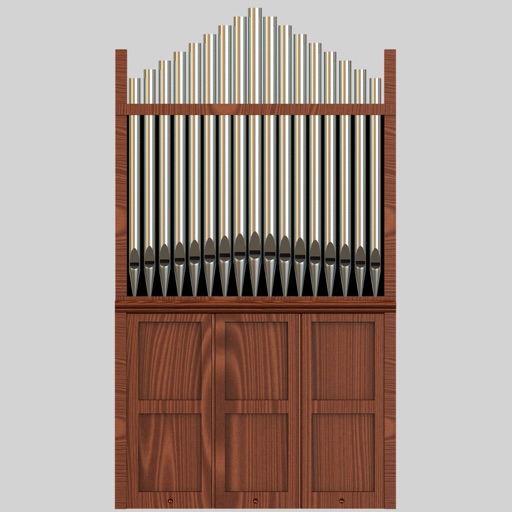
Play Lars Palo's Strand pipe organ samples on a MIDI keyboard connected to iOS or macOS. Access the Kalvträsk Church sampleset via Creative Commons license. Export samples for use with other software.
Emulate a vintage 1960s Philips Philicorda organ with 3 octave registers and 5 Vox sounds. Includes spring reverb and vibrato effects. Allows users to create and customize organ tones for music production.
The app helps users learn sheet music and improve sight-reading abilities. It develops speed in identifying music notes through timed sessions, with options for different clefs and practice modes.
Create and play music with a professional sound library. Connect to MIDI keyboards for instrument control. Adjust sound parameters and effects. Save and export audio files. Sync with music production software.
Record and edit up to 16 tracks of looped audio. Adjust track settings, use sound-on-sound and overwrite modes. Supports Inter Audio and AudioBus for virtual instrument integration. Customize loops and perform live recordings.
Play multiple instruments simultaneously using MIDI Polyphonic Expression. Access 8 layouts with multiple rows and octaves. Choose from 15+ scales. Use a powerful arpeggiator. Operate as a standalone device with multiple keyboards.
Record and edit audio with MIDI compatibility and learn support. Access factory presets for strings, organs, pianos, and synths. Use four effect sections including reverb and chorus. Adjust stereo width, mono switch, and note hold.
Create patterns using rhythm presets or custom sequences. Adjust timing and velocity parameters. Emulate vintage 808 hardware with AU3 Audio Unit support. Control tempo and playback options. Save and load user-defined kits.
Record up to 16 tracks with effects like pan, reverse, reverb, tremolo, and tempo delay. Use as a standalone or plugin. Manage master and input effects. Loop and layer audio for creative playback.
Create and edit music using sampled Mellotron sounds from the 1960s. Access a library of instrument tapes including strings, choirs, and horns. Adjust pitch, volume, and effects. Export projects in audio formats and share files directly.
Turn iPhone or iPad into pads and keyboard. Connect via Bluetooth or USB. Assign and name 16 pads. Use full 88-key piano. Select channels and velocity. Control CC and program changes. View message logs. Requires external synth or plugin.
The app connects to a Planning Center Services account for digital music reading. Users can view PDFs, turn pages hands-free, and take notes with annotation tools.
Create loops by repeating played notes until they fade out. Adjust loop length and pitch. Layer multiple loops to build complex textures. Tap to start or stop playback. Save and share custom loops.
Generate piano sounds with keyboard presses. Select from 128 general MIDI instruments. Send and receive MIDI notes to apps and devices. Display chord names and simulate sustain pedal. Connect via MIDI for synthesizer functionality.