Browse product listings with high-quality audio samples and video content. View customer reviews and instant notifications. Access synced shopping cart and wishlists across devices. Manage a personalized customer account.
Learn musical notes, fingerings, and rhythms through interactive gameplay. Compete against up to three players on a single instrument. Earn ninja belts by improving speed and accuracy. Purchase additional instruments.
Play with a complete and multi-touch support. Choose from grand , synthesizer, or organ. Learn chords through an educational game. Practice with a built-in metronome and sustain pedal. Perform popular songs and view note names.
Control synthesizer via iOS device with real-time visual feedback. Adjust mixer sliders and effects using multi-touch and touch pad. View instrument levels, effect amounts, and mixer balance. Sync and interact with for precise sound adjustments.
The app plays monophonic melodies and converts them into music notation. Users can edit scores, change playback sounds, and share results via email, Twitter, or Facebook.
Edit and shape sound using three variable wave oscillators and two ladder filters. Adjust filter types and modulation settings. Use a multi-wave LFO and two modulation busses. Apply DSP-based effects for realistic analog synthesis.
Play as Taylor, a on a time-sensitive mission to reach her concert. Customize outfits, perform on stage, and complete challenges to overcome obstacles like broken instruments and luggage mix-ups.
Create guitar riffs by selecting preset musical styles and tapping "Create". Listen to and save the generated riff as tablature. Customize settings to adjust and refine the riff further.
Play keyboard sounds, MIDI keyboard tones, typewriter noises, and four produced drum kits. Trigger samples via keyboard input or MIDI. Export audio files and share directly.
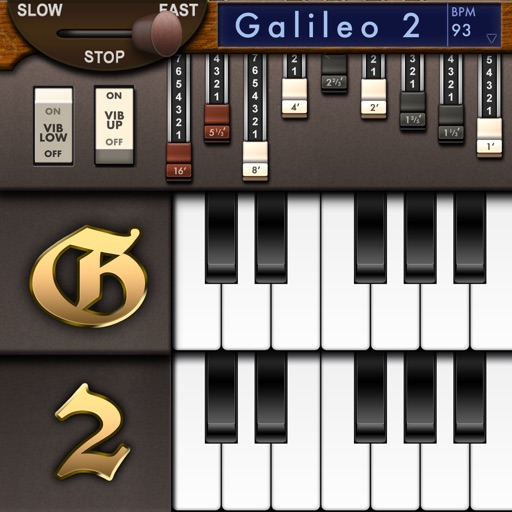
Create and customize sounds with 17 different types. Configure three manuals independently. Use scanner vibrato and chorus effects. Simulate rotary cabinets and tube amplifiers. Access AUv3 plugin for integration.
Turn your iPhone into a percussion instrument by shaking it. Choose from four sounds: Egg, , Tambourine, and Bells. Swipe to switch instruments. The uses a gyroscope to map movement and adjust audio based on shaking intensity.
Create and design synthesizers with modular patches. Adjust audio parameters in real time. Export sounds and share projects. Use professional-grade tools for live performance and experimentation.
Create music by touching the screen to play notes and adjust sounds. Use multi-touch surfaces like radar, ribbon, or keyboard. Move fingers to modify tones. The semi-generative engine selects suitable notes automatically.