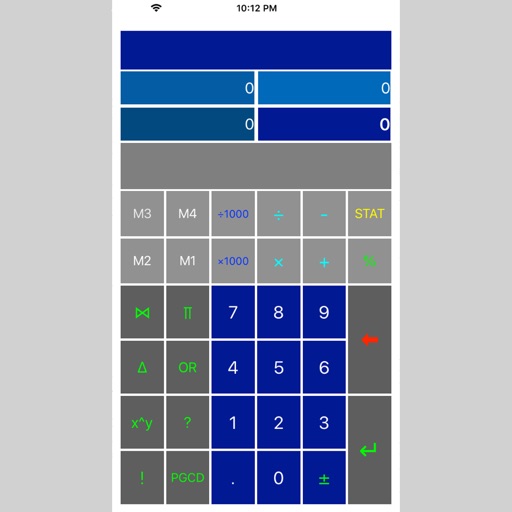
Perform complex calculations with root, power, trigonometric, and logarithmic functions. Calculate factorials and double factorials. Draw graphs, use four memory blocks, insert constants, and make notes.
Allows users to manage device by analyzing and organizing files. Users can view photo metadata such as dates, locations, and device information. The enables gesture-based interactions for data sorting and cleanup.
Convert images to PDF files by capturing or importing from the camera roll. Automatically detect and crop rectangular areas with perspective correction. Adjust image rotation and appearance. Share or save the resulting PDF.
A and unit/currency with a clean interface. Convert between 500+ units across 29 categories and 161 currencies. Customize colors and display selected units. Enter values to instantly convert between units.
Learn vocabulary through with memorization tests and review of incorrect answers. Select from multiple languages including English, Japanese, Korean, Chinese, Portuguese, German, and others.
Perform calculations with time value of money, cash flow analysis, and bond calculations. Input data for present value, future value, and interest rates. Calculate internal rate of return and modified internal rate of return.
Record with options to add voice narration and camera reaction. Include a built-in prompter for script reading during recordings. Export videos in various formats and share directly.
Perform complex calculations, solve equations, and manage multiple tasks with a scientific calculator. Access a library of functions for engineering, math, and finance. Store and retrieve previous results. Switch between different calculation modes.
Perform calculations with advanced operators and scientific functions. Use trigonometric, logarithmic, and round functions. Calculate tips and discounts. Edit expressions on the fly with a magic cursor. Share results directly.
Write Python code on mobile devices with syntax highlighting and error stack support. Run scripts directly. Use split screen for code and console. Access built-in environment for development.
Take screenshots of visible web content, entire web pages, selected rectangular areas, and specific web elements. Save and share captured images directly.
Edit videos and images with one-click tools. Cut videos, adjust speed, reverse playback, apply filters, add text and watermarks. Remove watermarks and apply mosaic effects. Extract and delete background audio. Crop and modify MD5.