Edit photos with text addition, drawing tools in multiple colors, and cute icon placement. Crop images using various ratios. Export edited photos in different formats.
by nguyen thanh★ 4.166 ratingsPhoto & VideoFreeData updated 2026-09-06
Create and edit digital artwork with layers, brushes, and custom tools. Adjust colors, brightness, and contrast. Import photos and sketches. Save and export in various formats. Apply filters and effects. Collaborate with others through cloud sharing.
Edit photos with filters, effects, and backgrounds. Create collages and layouts with ready-made designs. Crop and mirror images for social media. Add text and frames. Share edited photos directly to WhatsApp and Instagram.
Create palette reference images from photos. Select a photo from the library. Resize, reposition, and crop the photo into a square frame. palette automatically or pick colors manually. Change the layout using templates.
Edit photos with a wide range of effects, from basic adjustments to advanced graphic transformations. Repaint images using various brushes and import Photoshop brushes. Share edited photos on Instagram with the # tag.
Edit photos with , , and collage tools. Create and custom layouts. Adjust brightness, contrast, and saturation. Add text and stickers. Export and share edited images.
Edit photos with skin smoothing, whitening, and acne removal tools. Apply blur and adjust face contours. Access dozens of drip with customizable backgrounds and colors. Share edited images directly.
Edit photos and videos to post full size content to Instagram and other platforms without cropping. Add audio, effects, frames, text, stickers, and overlays. Trim, rotate, scale, and flip media.
Edit photos with brightness, contrast, and saturation adjustments. Crop or rotate images precisely. Apply filters and effects for mood enhancement. Add text layers and stickers for design. Create logos using shapes, colors, and typography.
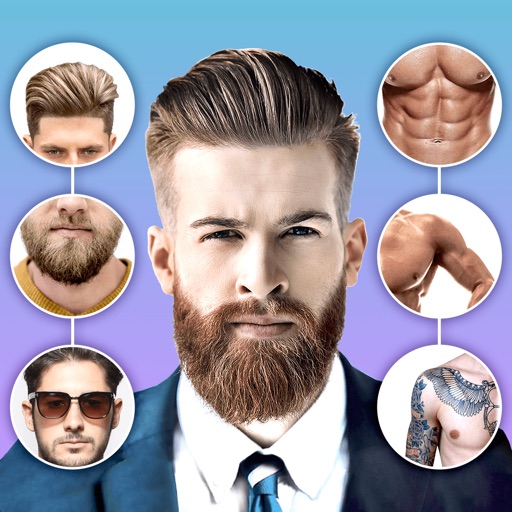
Edit photos with body shape modification tools and hairstyle customization options. Adjust skin tone and facial features. Add filters and effects. Export edited images in various formats and share directly.
Create a with realistic stickers. Age faces instantly using advanced filters. Edit photos with stickers, text, and . Share edited photos directly. Transform images into old-age versions with tools. Export in multiple formats.
Add vibrant color to specific image areas using the Color Splash Effect. Adjust intensity and placement. Export edited in various formats. Share directly from the .
Edit videos by extracting from Live Photos and combining with standard videos. Add background music and over 50 transition effects. Trim, crop, and edit text within videos. Share the final video directly.
Edit photos with holiday-themed frames, filters, and effects. Add text, stickers, and decorations. Export in various formats and share directly. Adjust brightness, contrast, and colors for festive visuals.
AI-powered placement allows users to embed objects in photos. Customize fonts, sizes, and colors. Adjust position and depth for professional-looking depth effects. Export edited images directly.
Edit photos with film filters, manual date adjustment, and flare effects. Choose 16:9 or 4:3 aspect ratios. Apply film burning effects and export in various formats.
Create holiday collages with customizable layouts, -themed grids, and backgrounds featuring Santa, gifts, and snowmen. Add text messages, select photos, and design e-cards with festive frames and decorations. Export and share finished collages.
Edit photos with AI-powered filters and effects. Transform images into -style art and cartoon avatars. Add text, stickers, and animations. Export in various formats and share directly.
Blurify allows users to specific areas of a or the entire background. They can select from various brush types and shapes to apply . Adjust the intensity using a slider. Pre-set effects can be applied for different styles.