Apps Like Remove Background: AI eraser for iPhone and iPad
Erase backgrounds from images and videos
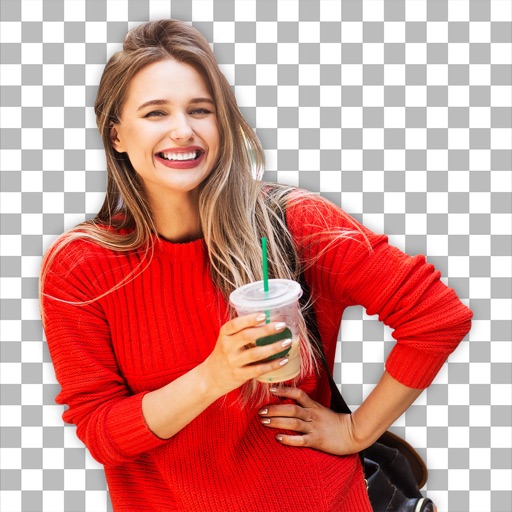
Backgrounds from images and videos using AI and chroma key technology. Erase or restore details manually with pro tools. Edit social media profile pics, GIFs, and memes by removing backgrounds. Export edited content for online stores or sharing.
by Daily International Ltd.★ 4.2357 ratingsPhoto & VideoFreeData updated 2026-09-06
Remove unwanted parts of photos using precise erasing tools. Change backgrounds with the feature. Undo actions or restore previous edits. Zoom for detailed adjustments and blur edges. Save and share edited images directly.
Record content including games and apps with audio support. Add reactions and audio during recording. Adjust resolution, FPS, and orientation. Trim videos and share directly. Edit external videos and modify facecam size.
Create raffles with customizable themes and unlimited participant lists. Add coupons for each entry. Record videos and share them on social media. Subscribe for full access to all features.
Photos by tapping to automatically backgrounds or specific objects using AI. Select images from the library or camera. Adjust intensity and apply effects to hide unwanted details. Export edited photos directly.
Set from and manga. Choose high-quality HD backgrounds. Update daily with new . Customize wallpaper settings. Apply animated backgrounds to home screen. Share favorite .
Edit photos with AI-powered tools for object removal, people elimination, blemish correction, and background editing. Adjust colors, brightness, and contrast. Add text and filters. Export and share edited images directly.
Clips into one with trimming, cropping, and editing tools. Add background music from iTunes or personal recordings. Save to the Photos or share to Facebook, Instagram, YouTube, Dropbox, and other platforms.
Remove from photos by selecting areas to erase or using color selection. Add custom backgrounds. Undo or reset edits. Import photos from phone or take new shots with the built-in camera.
Edit photos by highlighting colors, removing or changing backgrounds, and blurring specific areas. Use healing and smoothing tools for precise adjustments. Create photo montages and export edited images directly.
Take photos with a dedicated Camera. Apply adjustable filters to enhance the effect. Manipulate images using warp tools like bump, pinch, or swirl. Add emojis and text for customization. Save and view created memes in a mosaic format.
Create intros and openers with pre-made and customized templates across categories like inspirational, social media, sports, and video games. Use images or videos, edit text and fonts, add music or voiceovers. Export final videos.
Edit photos with AI-powered removal and background erasure. Adjust colors, brightness, and contrast. Add text and stickers. Export in various formats and share directly.