Edit photos with automatic background purification and removal of distractions. Adjust sharpness, contrast, and color saturation for enhanced clarity and vibrancy.
Arthur Eduardo Skaetta Alvarez Desenvolvimento de Software LTDA.
Add watermarks to photos and videos
Add watermarks to photos and videos by selecting from templates or creating custom ones. Adjust transparency and color settings. Position watermarks freely on images and videos.
Convert photos to sketches and styles with AI-powered tools. Adjust line thickness, contrast, and color tones. Save and share edited images directly. Apply filters and export in various formats.
Capture photos from the device camera or select from the library. Apply over 60 design effects to images. Save edited photos to the library or share them on social networks.
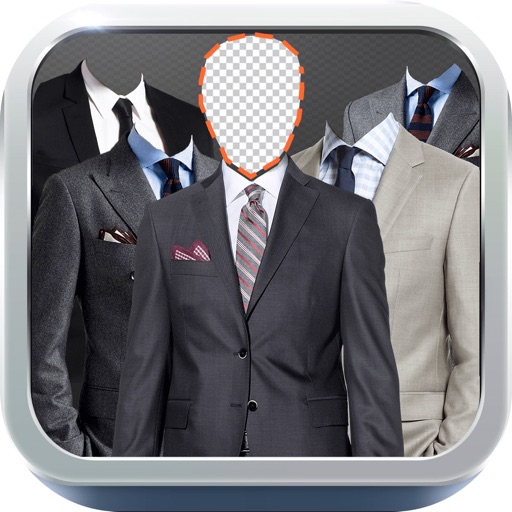
Change selfie backgrounds for celebrity makeovers.
The app allows users to change the background of selfies and merge pictures without erasing. Users can rotate, resize, add text with font and color options, and choose from over 65 backgrounds.
Capture distant objects with enhanced capabilities. Adjust focus and exposure for clear images. Save and share high-resolution photos. Access mode for detailed views of celestial objects.
Add customizable time and location watermarks to photos and videos. Capture professional-grade images and videos with advanced features. Edit and share media directly from the .
The app offers photo editing tools including effects, frames, and stickers. Users can adjust brightness, contrast, saturation, and warmth, and also sharpen or blur images.
The app transforms photos into hand-carved or rubber stamps with options for rough effects and transparent backgrounds. It includes AI background removal and a feature to convert images to vector graphics.
Objects, people, or blemishes from photos. Edit backgrounds and save as PNG or JPG. Crop images, add text, filters, logos, or watermarks. Use one-click background removal and clipping tools.
AI suggests edits based on image content. Adjust brightness, contrast, and saturation. Apply filters and effects. Remove objects and enhance details. Save and share edited photos directly.
Apply effects to photos and videos by inverting colors. Adjust brightness and contrast. Save edited media to gallery. Share directly from . Draw on images to customize effects.
Convert photos to black and white, sepia, or mono formats. Apply splashes to specific areas using touch. Adjust effects like hue, saturation, and contrast. Add photo filters for enhanced visuals. Export edited images in various formats.
Remove unwanted backgrounds or objects from photos. Edit images to make backgrounds transparent. Add custom backgrounds for improved visuals. Erase specific areas for enhanced photo quality. Save and share edited images directly.
Apply -style to photos for instant professional edits. Choose from 105+ categories with over 950 . Adjust brightness, contrast, and color tones. Export edited images in various formats. Share directly to social media or save to device.
Edit photos with high-quality and adjust settings for optimal resolution. Select images from the library or capture new ones. Apply stylish themes and save edited photos directly to the device.
Edit photos with AI-powered tools like Magic Eraser and AI Background Changer. Remove unwanted elements, generate images, and enhance photos without manual adjustments. Create studio-quality edits and share directly.
Capture and edit official ID photos professionally
Create professional-quality photos for passports, visas, and ID cards. Use guided cropping to adjust size and alignment to international standards. Edit backgrounds to achieve a clean look.
Unblur photos to detail and clarity. Remove scratches and fade from images. Enhance details and colors for vivid results. Save and share improved photos directly.
Enhance image quality by unblurring and sharpening photos, reducing noise, and upsizing for clarity. Improve video clarity with noise reduction and motion smoothing. Sharpen PDF text and lines for better readability.