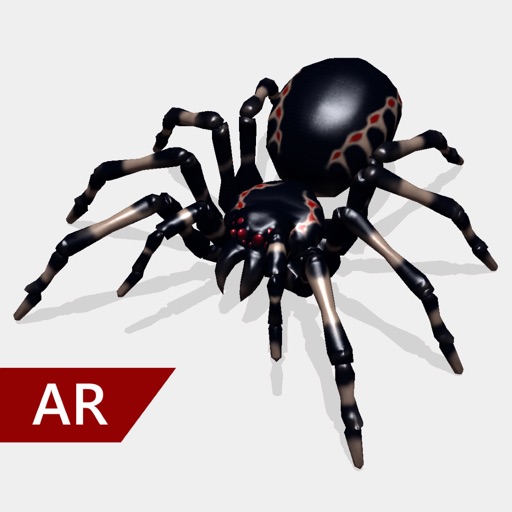
Create and share realistic scary videos featuring interactive . Choose from five spider types and adjust their size. Step on the ground to scare or let them attack. Apply nine full-screen filters to enhance the effect.
Extract high-quality still images from videos or Live Photos. Select and edit frames with built-in tools. View and edited photos directly. Play videos from local storage or iCloud. Scrub through footage for precise frame capture.
Create videos quickly with an AI script generator that turns simple ideas into full scripts. Use a for smooth recording, add AI-generated captions, and replace backgrounds with green screen tools.
Create logos and icons using 100+ customizable templates. Select and modify designs with preset color groups. Adjust text, shapes, and layout. Export logos in multiple formats and share directly.
Create and share short videos as animated GIFs or MP4. Capture frames with the or import photos, videos, or live photos. Apply real-time color filters, add text or frames, and record stop motion.
Generates AI-powered captions for videos automatically. Users upload videos to receive high-accuracy subtitles without manual input. The supports videos up to one hour in length. Captions can be customized and exported for use in various platforms.
Create collages in custom sizes. Choose from 300 layouts. Place images manually or automatically. Export for video, social media, or printing. Set dimensions for specific paper sizes. Share or save collages directly.
Convert videos into Photos or GIFs with trimming, backward playback, reverse, and speed control. Share Photos via iMessage, Facebook Messenger, Twitter, Instagram, and WhatsApp. Adjust timing and effects for custom animations.
Resize videos to custom aspect ratios. Crop, rotate, and adjust dimensions. Add background blur, gradients, or solid colors. Include animated text and emojis. Export videos for Instagram, Twitter, Facebook, Pinterest, and YouTube.
Record videos with adjustable resolution, frame rate, and bitrate. Select from multiple aspect ratios. Pause and resume recording. Use time-lapse mode. Export videos in various formats.
Allows users to add and edit text, remove or change backgrounds, style captions with custom fonts and colors, mirror the screen, and control the remotely. Users can record videos while reading scripts in real time.
Create greeting cards by adding photos to frames. Select images from the gallery or take new photos. Choose from various frames and adjust photos with zoom and rotation. Share cards with friends and family.
Apply real-time filters and to videos and photos with one tap. Choose from glitch, VHS, and retro styles. Capture photos during recording. Edit and share art instantly.
Connect to iOS device camera for live streams and meetings. Use manual controls for settings. Draw and add text via voice on video feed. Pause video to annotate. Stream via USB, HDMI, or AirPlay to Ecamm, OBS, or Zoom.
Create personalized Christmas videos with name and wishes in HD. Make live video calls with for interactive conversations. Generate custom Christmas songs with your child's details. Capture AR photos with using augmented reality features.
Create and share short videos as animated GIFs or MP4. Capture frames with the or import photos, videos, or Live Photos. Apply real-time color filters, add text or frames, and choose stop motion or video mode.