Play a number-based where the goal is to keep the sum between 0 and 21. Collect number cards, select ones to stay within the range, and use power-up cards for assistance. Choose from various stylish collections to customize gameplay.
by Le Nhung★ 4.03 ratingsGamesFreeData updated 2026-09-06
Play with special boosters purchased using in-game coins for strategic advantages. Collect golden cards that provide random rewards like rare items or bonuses. Unlock new game modes and features as you progress.
Play Solitaire against virtual opponents to compete for ace piles and score points. Remove cards quickly to win. Adjust skill level and number of opponents. Features include animated graphics, small screen optimization, and opponent peeking.
Play card games by matching cards that are 1 higher or 1 lower to clear the board. Track time and earn bonuses for completing decks. Use touch controls with smooth animations. Play free without purchase requirements.
Play Up solitaire by tapping or dragging cards. Remove cards of the same suit by value. Choose from different backgrounds and card designs. Move cards between piles to clear them.
Rotate the to select the door with the correct math answer. Tap coins to collect balls and earn rewards. Redeem Amazon Gift Cards through Amazon.US. Track progress and compete with other players.
Play card game with 3 computer opponents. Match numbers, letters, or colors. Play 8 card to change color. Use Mau Mau rules with Lose a Turn, Take a Card, and Switchback cards.
Play with a beautiful interface and intuitive controls. Tap or drag to move cards. Choose from easy, hard, or Vegas-style game modes. Use hint and undo features as needed. Track progress and replay games.
Dice Master combines dice rolling with deck building and rogue-lite elements. Players roll five dice up to three times to score points. Cards require specific elemental combinations to activate, with unused cards becoming ineffective.
Play with Draw 1 and Draw 3 variations. Use standard or Vegas scoring. Enable smart auto-complete and auto-turn features. Customize designs and backgrounds. Adjust speed. View detailed statistics. Support landscape and portrait orientations.
Play Klondike by stacking cards into suit-based piles. Move cards between piles and use one-card draws. Enjoy fast animations and responsive touch controls. Play freely without ads or time limits. Track progress and replay rounds.
Play classic solitaire with tap-to-move cards and build sequences. Access game offline without internet. Learn simple rules for easy gameplay. Engage in strategic stacking for challenging play.
Simulate opening Pokémon TCG booster packs for all sets. Track collection value and stats. Link to TCGplayer.com to purchase cards directly. Manage deck builds and analyze rarity.
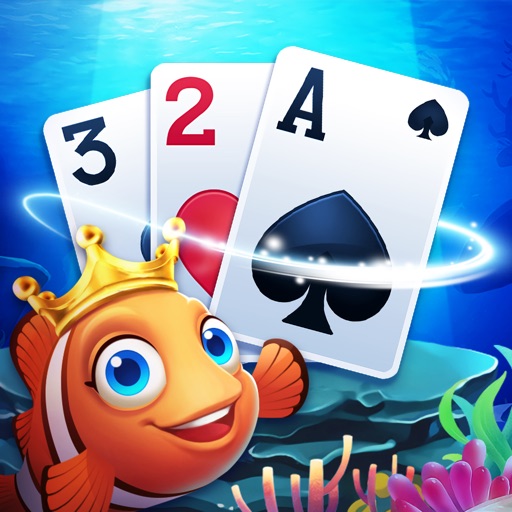
Play classic to design and decorate aquariums. Arrange cards to clear the board and progress through levels. Feed and interact with talking fish characters. Customize aquariums with various decorations and themes.
Play with offline mode and left-handed support. Customize board and card backgrounds. Access daily challenges and draw 1 or 3 cards. Track progress with record keeping and undo moves.
Play a game with three difficulty levels: Easy, Standard, and Pro. Track wins, losses, and moon shots. Receive hints to improve gameplay. All cards are randomly dealt to players.
Play by arranging cards in descending order, alternating colors. Move cards between stacks, place Kings on empty spaces. Tap the deck for extra cards. Build foundations from Aces to Kings.
Play by matching three cards of the same rank and suit. Clear the board by removing all cards through strategic pairings. Track progress across levels with beautifully arranged card layouts.
Play by matching and removing cards. Arrange cards in descending order from king to ace. Collect fishes by completing levels. Unlock new themes and backgrounds. Track progress and replay games. Share scores with friends.