Manage and control G-FORCE BT-LINK compatible chargers. Monitor charging status, start and stop charging sessions. Pair devices via Bluetooth. Adjust settings for multiple chargers. Receive notifications for charging completion.
by G FORCE K.K.★ 5.01 ratingsUtilitiesFreeData updated 2026-09-06
Control and monitor Acoustic Devices remotely. Adjust volume, set pre-programmed sequences, and manage device settings. View usage statistics and receive system alerts. Connect via wired input or Bluetooth.
Control via Bluetooth to customize brightness, color, and effects. Adjust settings remotely from a smartphone. Sync with compatible devices to manage multiple lights simultaneously.
Set up guest Wi-Fi networks and manage parental controls. Assign devices to household members. View and adjust network policies. Monitor connected devices and control access settings.
Measure force in real time using connected sensors. Connect up to 6 sensors simultaneously. Export data after completing measurements. Check and adjust calibration for multiple sensors at once.
Control heating and cooling systems via iOS device. Adjust temperature settings remotely. View system status and energy usage. Schedule temperature changes. Receive notifications about system alerts. Sync with Comfort Series thermostats.
Check headset power levels, adjust effects, customize button functions, and update firmware. Modify settings for compatible devices and monitor battery status in real time.
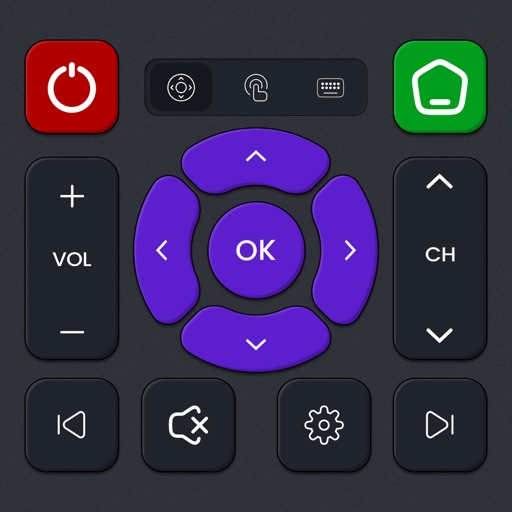
Control devices like TVs, streaming boxes, soundbars, and more. Switch between apps, adjust volume, and navigate menus. Pair with smart TVs, Roku, Fire TV, Chromecast, and Android TV. Manage multiple devices from one interface.
Control devices, manage Wi-Fi, set parental controls
Manage home network devices from a central dashboard. Control device priorities, set parental restrictions, and apply security settings. Monitor network activity and adjust Wi-Fi settings for individual devices.
Control devices with a . Create and manage scenes and timers for energy efficiency. Monitor status remotely. Adjust multiple devices simultaneously. Set automation routines for daily tasks. Check device status and receive alerts.
The app offers digital services for employee mobility and business expense management. Employees can find and pay for fuel, electric vehicle charging, parking, and public transport tickets.
Control a toy quadrocopter via Wi-Fi. Adjust flight settings and view real-time video feed. Connect to compatible iOS devices for remote operation and data transfer.
Alerts users when charging is complete and allows customization of health thresholds. It provides to extend life. The System Activity Monitor tracks usage and includes in- purchases for additional features.
The app turns an iPhone into a 3-axis accelerometer. It displays real-time acceleration and G-force data, allows recording motion, and exports data for analysis.
Configure Hub devices via Bluetooth to ensure proper operation. Pair devices, adjust settings, and monitor status remotely. Manage multiple devices and update configurations directly from the .
TV volume, channels, and playback from a smartphone or tablet. Adjust brightness and contrast. Navigate menus and access settings. Pair with multiple devices and manage playback functions.
Find EV charging stations compatible with your vehicle. Filter by reviews, amenities, and photos. View estimated charging time and power. Locate stations with one click.
Control smart devices remotely via Wi-Fi. Turn outlets on/off, schedule tasks, and monitor energy usage. Manage multiple switches and receptacles from a single interface. Receive notifications for device status changes.
Practice questions with customizable question counts for marine, navy, and air force prep. Retake tests with different questions each time. Access detailed explanations for each answer. Track progress through repeated practice sessions.
Monitor and control instruments remotely. View real-time data, adjust settings, and manage measurements. Connect via LAN and power, then pair with iOS device using Wi-Fi or cellular.
Find nearby charging stations and check real-time availability. Start and stop sessions using a QR code or manually. Track consumption and battery levels during charging. Pay with a credit card and view session history and statistics.