Manage and control G-FORCE BT-LINK compatible chargers. Monitor charging status, start and stop charging sessions. Pair devices via Bluetooth. Adjust settings for multiple chargers. Receive notifications for charging completion.
by G FORCE K.K.★ 5.01 ratingsUtilitiesFreeData updated 2026-09-06
Connect to charging piles via the for debugging and adjustment. Set parameters for charging piles. Monitor and control charging pile settings remotely.
Manage and monitor health with real-time voltage and temperature readings. Track charge cycles and capacity levels. Set low- alerts and schedule charging sessions. Sync data across devices for remote monitoring.
Find nearby charging stations and navigate to them. Make secure payments directly from your smartphone. View charging session details and manage account settings. Track charging progress and receive notifications.
Control smart home devices with a user-friendly interface. Monitor and adjust lighting, temperature, and security systems. Access real-time data and manage settings through a secure cloud portal. Receive notifications and control devices remotely.
Control TV with a clean interface, navigate channels, search content, and manage playback. Adjust volume, toggle inputs, and use voice commands. Pair with iPhone or iPad for operation.
Control vehicle doors with lock/unlock functionality. Start or stop the engine remotely. Locate the vehicle's current position. Requires hardware installation and a compatible remote device.
Detects unauthorized disconnection of the device during charging. Activates pre-set sounds to deter theft. Locks the device remotely. Provides location tracking features. Allows users to disable the remotely.
Remote control multiple devices through a single . Manage IoT, vehicles, home automation, and access control. Customize scenarios and settings. Share device access and monitor activity in real time.
Control your smart TV with an iPhone that replicates traditional functions. Adjust volume, change channels, and navigate menus. Support for popular TV brands. Pair via Bluetooth or infrared.
Control devices via voice from the . Adjust settings based on product status, schedule, outdoor temperature, or weather. Set on/off schedules and manage multiple device modes. Share access with family members.
Monitor and control your EV charging remotely. Schedule charging during off-peak hours to minimize costs. Track energy usage and optimize charging times. Compatible with most EV brands and various installation types.
Detects unauthorized phone movement with an . Alerts when device is removed from pocket or bag. Sounds if charging cable is unplugged. Locks device remotely and tracks location.
Initiate charge requests at stations by scanning QR codes and entering departure times. Monitor charging progress in real time. Receive notifications about charge status and station availability.
Bootstrap Product Development And Manufacturing Private Limited
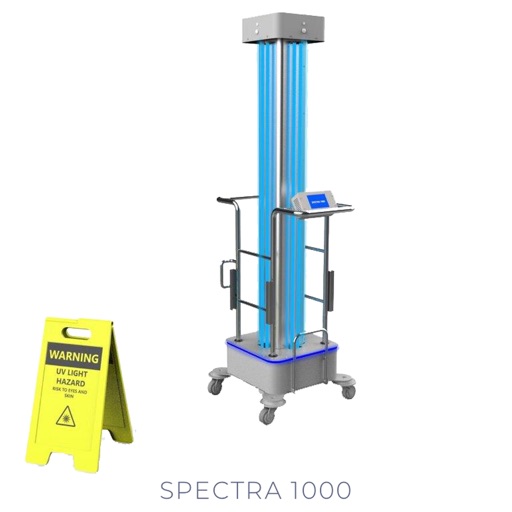
Start disinfection sessions
Control and monitor UV disinfection devices via Bluetooth. Start and stop disinfection sessions. View real-time status and settings. Adjust parameters for targeted cleaning. Receive notifications on session progress.
Control lamps and other electrical devices using the . Turn devices on/off remotely, set schedules, and monitor energy usage. Adjust brightness and timers for automated lighting. Receive notifications for device status changes.
Control Bluetooth-enabled devices via a mobile interface. Adjust settings, pair devices, and monitor connection status. Send commands and receive feedback in real time. Manage multiple devices from a single .
Find and reserve parking spaces at EV charging stations. Track energy consumption and earn loyalty points. View station details and plan routes. Sync with navigation apps for real-time updates.
Manage WiFi settings by creating custom names and passwords. Assign user profiles to control access. View and manage connected devices. Monitor WiFi strength and adjust for optimal performance.
Control lighting, dimming, and color via Bluetooth
Control power and dimming levels for automotive LED lights. Adjust color settings on RGB devices. Set and recall preset lighting options. Connect via Bluetooth 4.0 or higher.
The app provides real-time information for Villavesa buses. Users can see arrival times, access selected stops, and view a map with nearby stops and charging points.