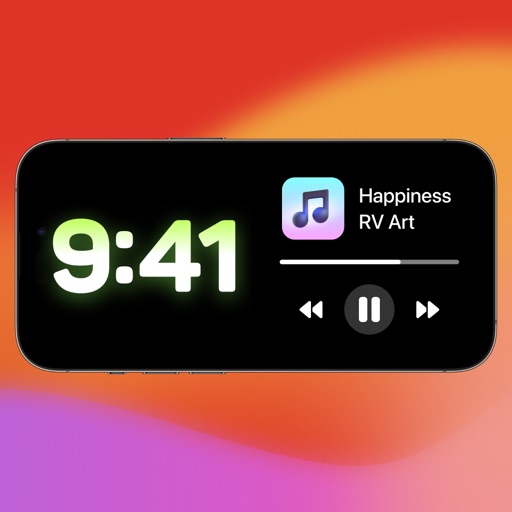
Customize home screen with templates and themes. Design personalized widgets and select from various custom icons. Apply themes, wallpapers, and icon changers for a unique appearance. Adjust widgets to fit preferred functions and aesthetics.
by 小丽 严★ 4.326 ratingsProductivityFreeData updated 2026-09-06
Customize device appearance with icons, , wallpapers, and widgets. Generate AI-designed visuals for iOS 18 personalization. Apply styles to apps like social media, streaming services, and calendars.
Customize home screen with aesthetic , icon changer, and widgets. Apply themes to change phone appearance. Select from various designs and styles. Adjust widgets for functionality and visual appeal. Sync themes across devices.
Customize home screen icons with a library of icons and color options. Apply flat colors or gradient backgrounds. Use pre-made theme kits and packs like Gradient or Dark Cat. Edit combinations and apply new to change the phone's appearance.
Customize digital widgets with three sizes, personal photos as backgrounds, and adjustable layouts and text colors. Set faces and backgrounds to enhance home screen appearance.
Customize home screen with animated artwork, 3D wallpapers, and liquid glass themes. Add battery, weather, and calendar widgets. Adjust widget sizes and positions. Set dynamic wallpaper effects and enable depth effects.
Customize lock screen with interactive , weather, battery, and launcher options. Add dynamic island with pets and plants. Choose from 1000+ 3D space wallpapers and themes. Enable liquid glass effects and dynamic control center customization.
Customize iOS home screen with clock and calendar . Upload local images for customization. Add in simple steps. Display cute and funny content on lock screen.
Customize Lock Screen, Home Screen, and Dynamic Island widgets with iOS 26’s Liquid Glass design. Pair with exclusive themes for a cohesive look. Choose from Dark, neon, minimalist, and cute styles.
Customize mode with personalized widgets, icons, and themes. Set wallpapers, clocks, and weather displays. Choose from multiple themes and icon packs. Syncs with iOS 17+ for full functionality.
Customize iPhone appearance with , , wallpapers, and widgets. Download resources and follow installation guides. Apply to change , backgrounds, and add widgets.
Customize home screen with , icon sets, and widgets. Add frames, filters, stickers, and text to photos. Crop images and change colors of icons. Choose from various and icon galleries. Set preferred icon sets for quick access.
Customize lock screen with , themes, and wallpapers. Add GIF animations and icons. Choose from 2000+ icons, 500+ , 80+ fonts, and 200+ themes. Sync with iOS 17 for updated features.
Lets users add customizable widgets to their home . Choose from pre-designed options or create custom widgets. Features include themes, fonts, and charging animations. Edit widget content and layout. Sync with device settings.
Customize home screen with widgets and themes. Add interactive widgets and StandBy features. Edit widgets and themes. Include virtual pet with care features. Change wallpapers and personalize layout.
Custom enhance iPhone home screens with beautiful Full HD . Users can apply pre-designed themes, set up quickly, and enjoy 4K quality that work across all compatible devices.
Customize home screen with photos, , or dates. Add analog clock and set background color. Choose font, size, and color for and date. Support unlimited and uploads.
Customize home screen with icons, , and widgets. Set custom icons in one tap. Add lock screen widgets and choose from wallpapers. Support 100+ apps. Use packs and for personalized style.