Apps Like VDO Video Maker by PicCollage for iPhone and iPad
Edit videos with AI smart cuts
Edit videos with Smart Cuts to highlight key moments. Adjust length with Auto Length. Apply Original Themes with layout, music, and filters. Use Creative Layouts to design eye-catching grids. Export videos in multiple formats.
by Cardinal Blue Software, Inc★ 4.6386 ratingsPhoto & VideoFreeData updated 2026-11-06
Create videos using photos with transitions, zoom effects, and background music. Add text overlays and edit timing. Share finished videos directly to social media or messaging apps. No photo limits or premium features required.
Edit videos with AI-powered enhancements like upscaling, noise reduction, motion blur, and frame rate adjustment. Create slideshows from photos, add music, and generate memes. Boost quality and export in various formats.
Create collages with multiple layouts and effects. Combine photos from gallery or camera. Merge videos into single clips. Add transitions and effects. Edit images with cropping and filters. Share finished collages directly.
Create slideshows with photo filters, transitions, and background music. Add text overlays and select from various templates. Export to Instagram, Facebook, YouTube, or email. Share directly or save as video files.
Record with a pause button to stop and restart recording. Trim and cut videos using the built-in editor. Apply filters like black and white, sepia, or hipster. Save videos in 4K format.
Create collages by combining photos, adding stickers, and applying effects. Choose from multiple layouts and templates. Edit images with cropping and filters. Share finished collages directly to social media.
Auto-Trim Perfection - Automatically selects and stitches the moments from videos. Frame Your Moments in Style - Apply templates to enhance clips. Edit and export videos directly from the .
Create videos with AI-generated content and auto-subtitling. Add music, edit clips, and apply filters. Include AI speaker function for voiceover. Share directly to social media platforms.
Create visual designs for events, products, or messages using AI. Generate layouts, add text and images, and customize colors and fonts. Export designs in various formats and share directly.
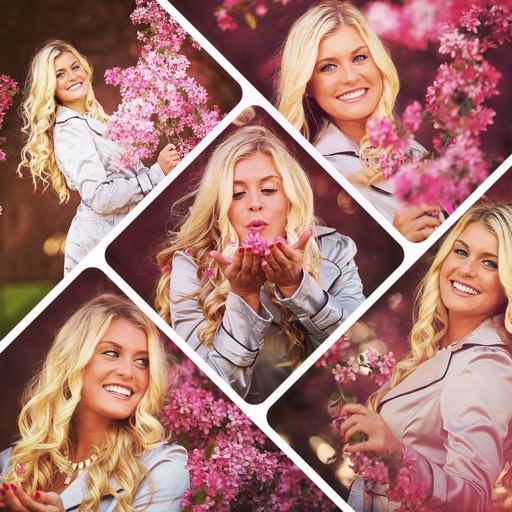
Create collages by combining multiple photos using various frame patterns and grid layouts. Apply over 1100 design styles to individual images or collages. Share finished creations directly from the .
Create intros for YouTube with customizable templates. Choose from 1000+ pre-designed layouts. Add logo reveals with various animation styles. Edit timing and transitions. Export as MP4 or GIF. Share directly to social media platforms.
Convert videos into looping style videos with or without audio. Create Live Photos from boomerangs and set them as animated wallpapers. Transform videos into GIFs and share them directly.
Create projects by adding background or remixing songs. Import videos and audio clips. Edit timing and sync audio with visuals. Share finished videos directly.
Shenzhen Qianhai Happy Tour Network Technology Co., Ltd.
Create ghost videos and photos easily.
The app allows users to create videos and photos with transparency and fade effects. Users can clone ghosts, apply filters, make illusions, and create collages.
Create collages by adding photo grids, frames, and filters. Apply effects like sepia and retro. Add stickers and text. Share collages via messengers and social networks. Edit photos with built-in frames and layouts.
Convert photos into videos with customizable templates like cartoon style, transformation, and dance. Add text, stickers, and background music. Export and share videos directly.
Create collages with layouts, filters, and stickers
Create collages using 300+ layouts and customize shapes and aspect ratios. Apply 200+ filters, add stickers, HD backgrounds, text with stylish fonts, doodles, and quotes. Share collages directly to Instagram and other social media platforms.
Create videos from photos using AI animation. Generate videos from text prompts with advanced AI models. Apply AI-powered effects to enhance videos. Edit and export videos in various formats.
Create videos by capturing or selecting footage from the camera. Add from a regularly updated public domain library. Apply various effects. Export and share finished videos.