Control LED brightness and use built-in screen or LED for lighting. Access different light modes for stroboscope, graffiti, and SOS. Enable fullscreen mode without interface elements. Use Siri Shortcuts and quick home screen actions. Customize icon.
Generate based on selected base frequencies and wave types. Choose frequencies between 1 to 50 Hz and base frequencies from 20 to 1500 Hz. Supports Alpha, Beta, Delta, Gamma, Mu, and Theta waves.
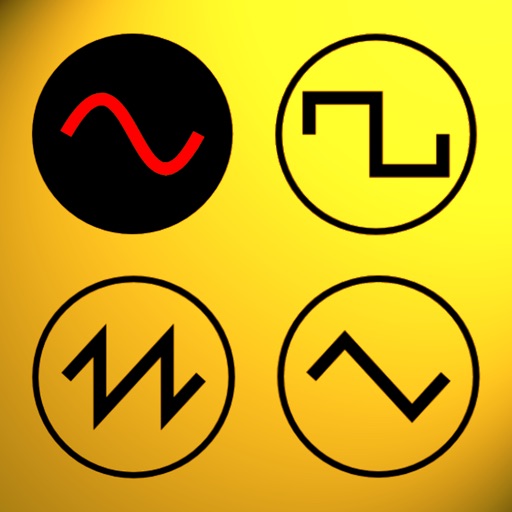
Nd play waves with customizable settings from 1Hz to 22000Hz. Choose between sine, square, sawtooth, or triangle waveforms. Adjust volume and playback duration. Save and share generated files.
Adjust audio settings with a customizable equalizer. Boost volume and enhance bass for louder playback. to Bluetooth devices and wired . Improve speaker sound quality with audio enhancement features.
The app records conversations using the device's microphone and filters out ambient sound. Users can listen to the adjusted audio through headphones, speakers, or Bluetooth devices.
Udio tones with customizable frequency settings from 15Hz to 22KHz. Choose between sine, square, sawtooth, and triangle waveforms. Create and save custom presets. Control playback from notification drawer, lock screen, or headset buttons.
Udio signals with adjustable parameters and frequency up to 20 kHz. Create single signals, sweeps, or merged signals. Control duty cycle, frequency, and waveform type. Export generated audio files.
Allows users to evaluate performance through frequency sweep analysis and high amplitude sound wave testing. Identify distortion and response issues. nd play custom audio for detailed acoustic assessment.
Test phone speakers with tones ranging from 0 Hz to 25 kHz. Use manual or automatic mode to assess performance. Perform stereo tests to evaluate sound quality. Clean speakers by generating frequencies to remove dust and buildup.
Generate sound waves with sine, square, sawtooth, or triangle waveforms. Adjust between 1Hz and 22000Hz. Play single oscillator tones. Test speakers or tune instruments using generated frequencies.
Create and manipulate sounds using additive synthesis. Adjust tuning tables and modulation parameters. Use MPE for multi-touch control. Manage presets with a new preset manager. Adjust waveform shapes and filter settings.
Tune guitars, basses, violins, and other instruments using smartphone microphone. Detect pitch and display frequency. Adjust tuning with visual indicators. Save and share tuning sessions. Sync with -Track Studio for advanced editing.