Create and customize sounds with 17 different types. Configure three manuals independently. Use scanner vibrato and chorus effects. Simulate rotary cabinets and tube amplifiers. Access AUv3 plugin for integration.
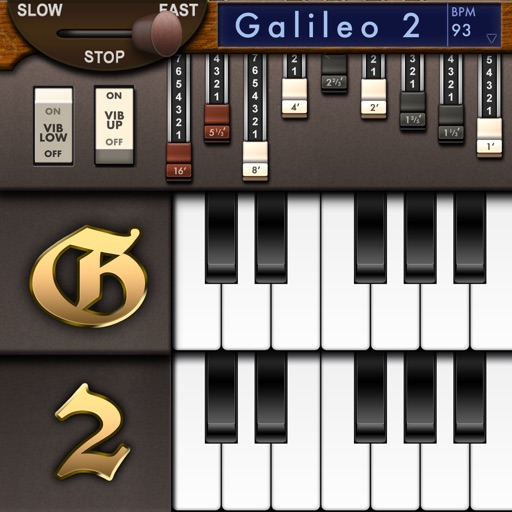
Simulate a Hammond Organ B3 with two manuals and a pedalboard. Adjust drawbars for upper and lower manuals and pedalboard. Use a physical modeling engine with 91 tonewheels. Apply rotary speaker effects and tube overdrive.
Play virtual Hammond with 9 drawbars for sound control. Simulate tonewheel waveforms for realistic tones. Add rotary speaker effect for authentic Leslie sound. Adjust settings to customize feel and output. Save and share custom presets.
Record and play organ sounds with adjustable tuning and articulation. Access 25 high-quality presets. Customize settings for tone and response. Sync with AUv3 and run as a standalone . Store files on 1GB of space.
Allows users to create and manipulate multiple independent musical voices. Features include pitch adjustment, temperament control, and multi-touch performance. Users can access additional instruments via in- purchases.
Create and save multi-track music projects on iPad, iPhone, or Mac. Record and import audio tracks, browse samples with previews, apply effects, and use high-quality synthesizers and drum kits. Edit, mix, and render complete songs.
Record and edit audio with MIDI compatibility and learn support. Access factory presets for strings, organs, pianos, and synths. Use four effect sections including reverb and chorus. Adjust stereo width, mono switch, and note hold.
Create and edit music using sampled Mellotron sounds from the 1960s. Access a library of instrument tapes including strings, choirs, and horns. Adjust pitch, volume, and effects. Export projects in audio formats and share files directly.
Emulate a vintage 1960s Philips Philicorda organ with 3 octave registers and 5 Vox sounds. Includes spring reverb and vibrato effects. Allows users to create and customize organ tones for music production.
Edit by splicing, mixing, and cutting. Record with wired or wireless earphones. Adjust playback speed from 0.2 to 4 times. Balance left and right channels. Export edited files.
Record and MIDI tracks for music production. Edit vocals for pitch and timing. Use virtual instruments and effects. Create drum patterns with custom samples. Mix and automate tracks with unlimited undo/redo.
Create music by touching the screen to play notes and adjust sounds. Use multi-touch surfaces like radar, ribbon, or keyboard. Move fingers to modify tones. The semi-generative engine selects suitable notes automatically.