Take notes alongside presentation slides and draw directly on them. Note-taking is available in posters and exhibitors sections. Share notes via in- messaging, email, and social media.
by Association of American Colleges & Universities★ 4.625 ratingsEducationFreeData updated 2026-11-02
The app allows users to draw and write on their iPad, functioning as a notepad or blackboard. Users can add typed text, choose background colors, and save or share their creations via email or social media.
Allows users to select vocabulary files with pages and buttons containing words, phrases, and sentences. It enables message creation through spoken output. Users can customize communication boards and access pre-programmed functions.
Record audio notes with AI transcription for meetings, lectures, and ideas. Organize and edit summaries, share transcriptions via web and third-party platforms. Securely store audio and text notes with private access controls.
Watch recorded video sessions, access presentation materials, and submit survey responses to provide feedback on the program. View missed sessions and review content for personal development.
Access detailed event agendas, workshops, and networking opportunities to prepare for the event. Personalize your schedule based on interests. Review presentation content before, during, and after sessions.
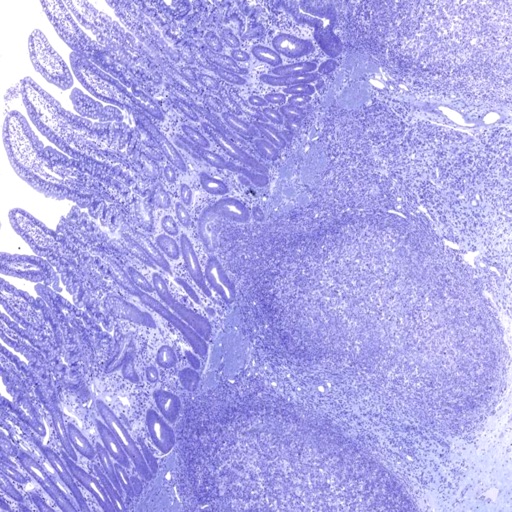
View ultra-high-resolution images of tissue samples. Zoom in and pan across microscopic slides. Access detailed annotations and labels. Search for specific tissues or structures. Compare images side-by-side.
Take notes during lectures with recording and automated transcription. Copy notes with one tap. Organize content into structured sections. Highlight key terms and save notes for later review.
Create and share polls with live audiences. Participants vote anonymously by selecting A, B, C, or D. Results appear in real-time on the host's device. No registration required. Polls expire after 30 minutes. Free to use.
Learn histology with interactive slides and quizzes. Explore 19 main topics and 148 subtopics. Identify 2179 slides based on photomicrographic images. Test knowledge with built-in assessments. Access content offline without internet connection.
Create and review flashcards with swipe gestures to flip . Draw notes freely with finger or Apple Pencil. Hold to flip card over. Shake for random card. Swipe down to cancel or up to delete.
Learn through interactive slides, quizzes, matching exercises, and anagrams. Study anatomy, physiology, pathology, diagnostic testing, and treatment. Test knowledge with practice questions and review key terms for better retention.
Watch messages, give tithes, connect, follow notes,
Watch sermons and messages, give tithes and offerings, and connect via in- messaging. Access Bible readings and listen to scripture. Follow teachings with in- notes. Join live streams and view information on involvement opportunities.
The app facilitates communication for non-verbal individuals by allowing them to activate icons and create sentence strips. It includes schedule boards and AAC device functions, with customizable categories and real photos.
Attend sessions via email or web link. Interact in real-time with audio, screen sharing, and guided presentations. Collaborate in virtual classrooms and web conferences. View web tours and participate in discussions.
Watch sermons, stream services, get updates, share
Watch or listen to past sermons and live services. Receive push notifications for events and updates. Share favorite sermons on social media. Take notes during sermons. Download messages for offline listening.